CANDPSX user manual rev 2 Page 17 of 42
____________________ _
To enable the SDO service, set the parameter 20A0h:
All parameters/System/CANopen Master/SDO services
0 = service disabled
1 = service enabled
To specify the maximum time SDO requests must be fulfilled within, set the parameter 20A1h:
All parameters/System/CANopen Master/SDO services
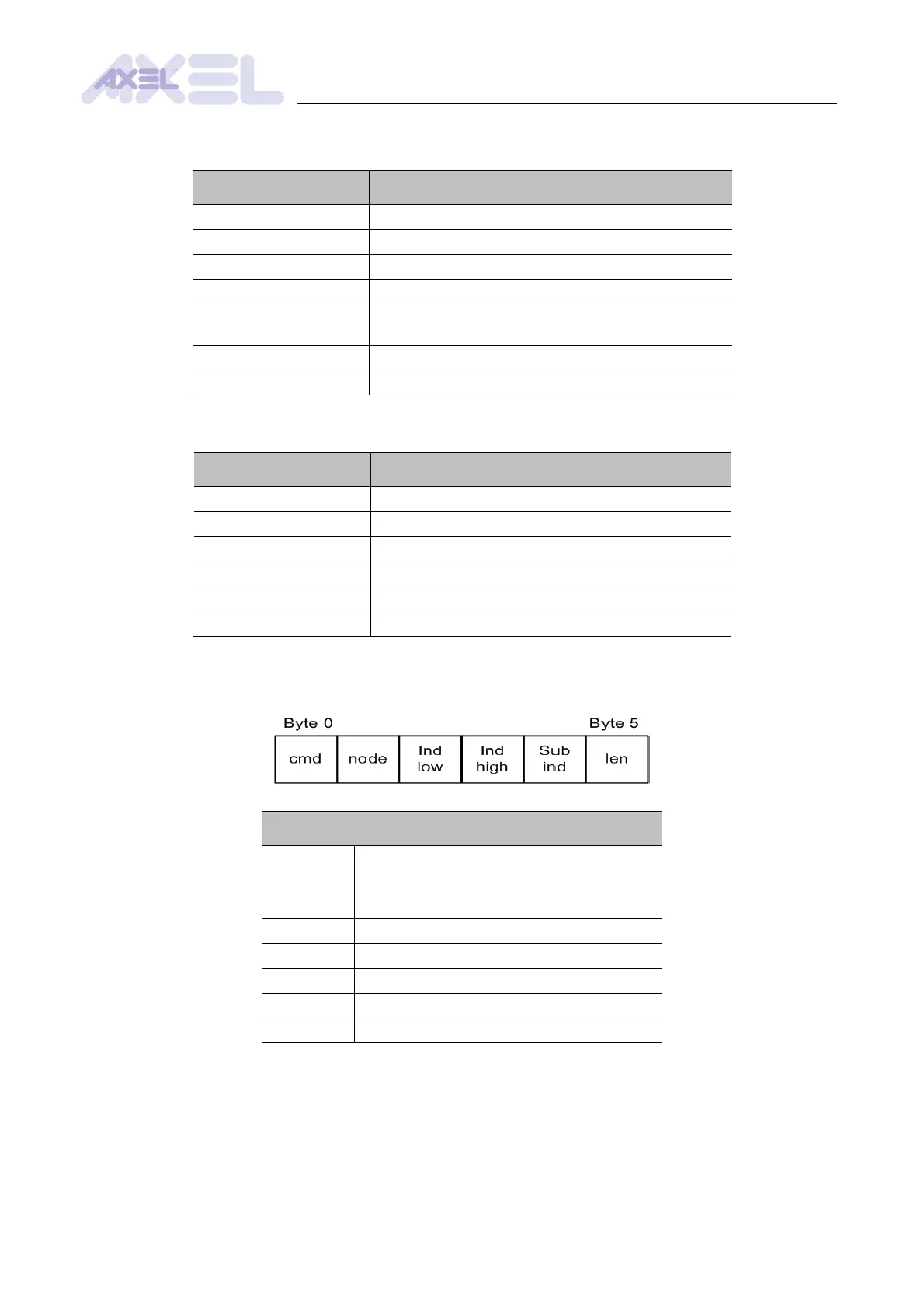
Format and elements of the request control structure mapped in the Profibus dual port (parameter
20A3h):
Elements of the SDO control structure
SDO request type:
0 = reset request
1 = read request
2 = write request
ID of the node to which the request is sent
lower part of the index of the exchanged object
higher part of the index of the exchanged object
subindex of the exchanged object
number of valid byte in SDO buffer value
Note: if the memory swap function is active, the elements of the control structure will be swapped.
The field “len” will be in “byte 0” and “cmd” will be in “byte 5”.


 To Next Page