CANDPSX user manual rev 2 Page 37 of 42
____________________ _
10.3 FIRMWARE UPGRADE
Here below you find the instructions to upgrade the firmware:
Execute the program from the system menu Start
→
Program Files
→
Axel PC tools.
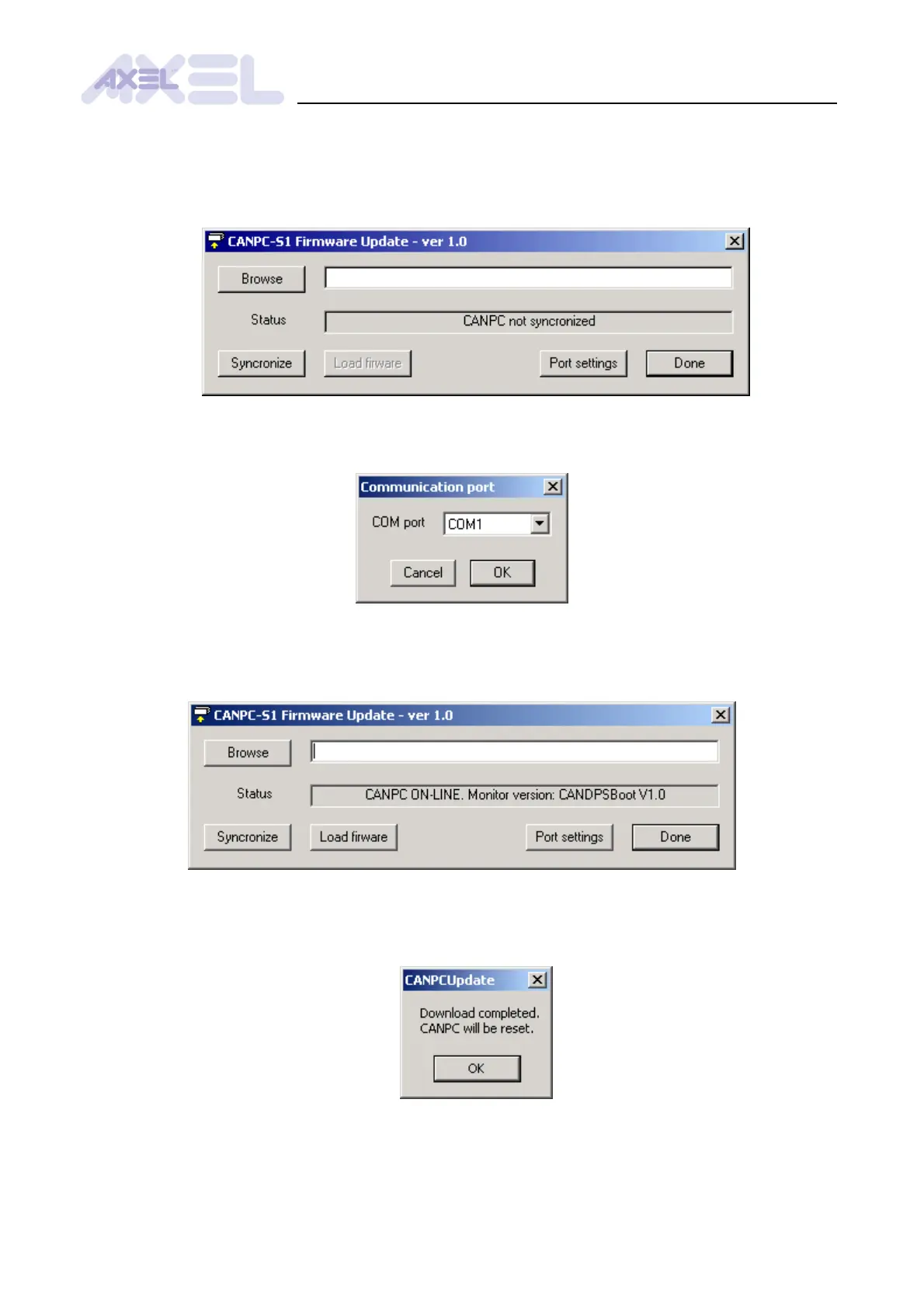
Push the button Port settings to open the dialog window that lets you modify the
communication settings: select the COM port and press OK.
Synchronize CANDPSX by pushing the button Syncronize and follow the instructions in the
synchronization window. When the synchronization process is completed, the Status box will
display the module identification data.
Press the button Browse to select a firmware file (extension .sre), then push the button
Load firmware and wait until a message appears informing that the process has been
completed. Press Ok to restart CANDPSX.



 To Next Page