CANDPSX user manual rev 2 Page 36 of 42
____________________ _
10.2.2 Program layout
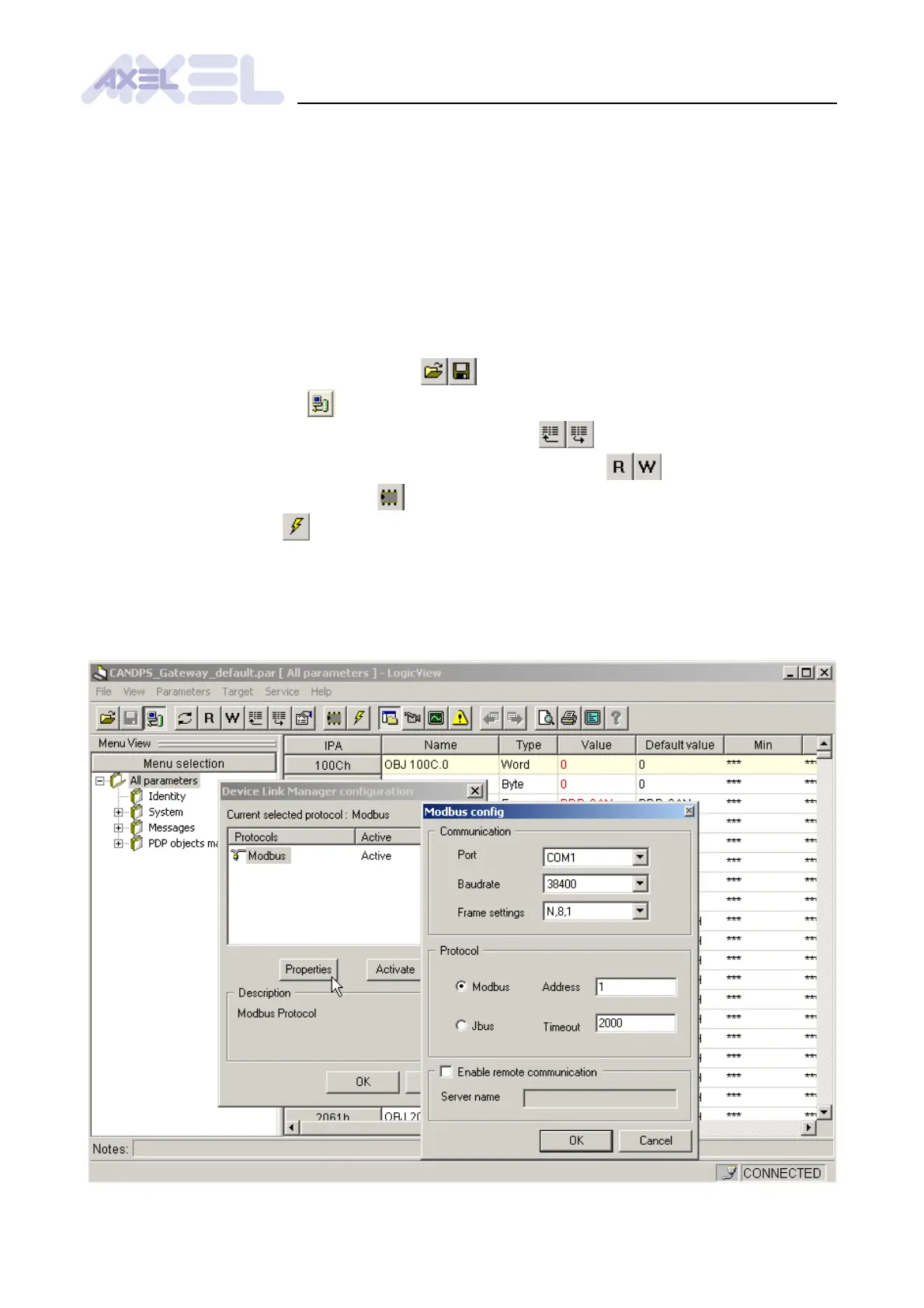
The configuration tool is composed of the following main elements (see § 35):
• The toolbar with the functions for exchanging parameters
• The menu selection window
• The window displaying the parameters of the currently selected menu
• The monitor window displaying the continuously refreshed value of parameters
10.2.3 Main functions
• Open/Save/Close configuration files
• Connect to the target
• Read/Write all the parameters of the selected menu
• Read/Write the value of the parameter in the selected record
• Save the current configuration
• Reset the module
• Modify the communication settings from the Target
→
Communication settings menu
10.2.4 Communication settings


 To Next Page