5.2.3 Mapping data of the Profibus dual port to CAN messages
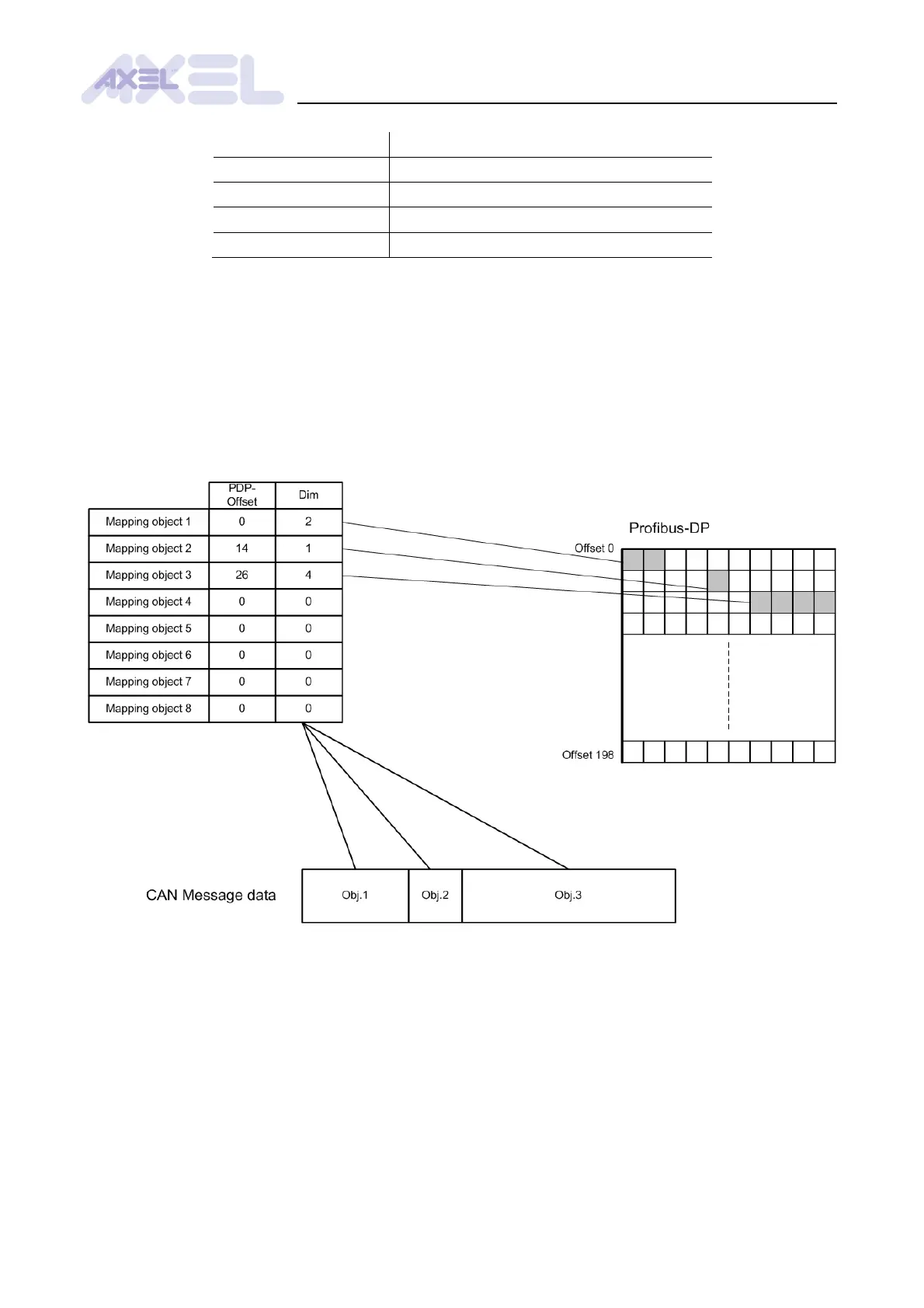
The maximum length of user data in a CAN message is 8 bytes. Each byte can be assigned
independently the offset of the associated byte in the Profibus dual port. Therefore, let us assume
that up to 8 objects can be mapped to a CAN message. The corresponding offset in the Profibus
dual port and and the size must be specified for each object. The total size of the mapped objects
must be included between 0 and 8 bytes. If this condition is not satisfied, the module will display a
configuration error the next time the settings are saved and the board is switched on or reset. The
first null-size object determines the end of the map.
Fig. .2: Principles of CAN message mapping


 To Next Page