ENG
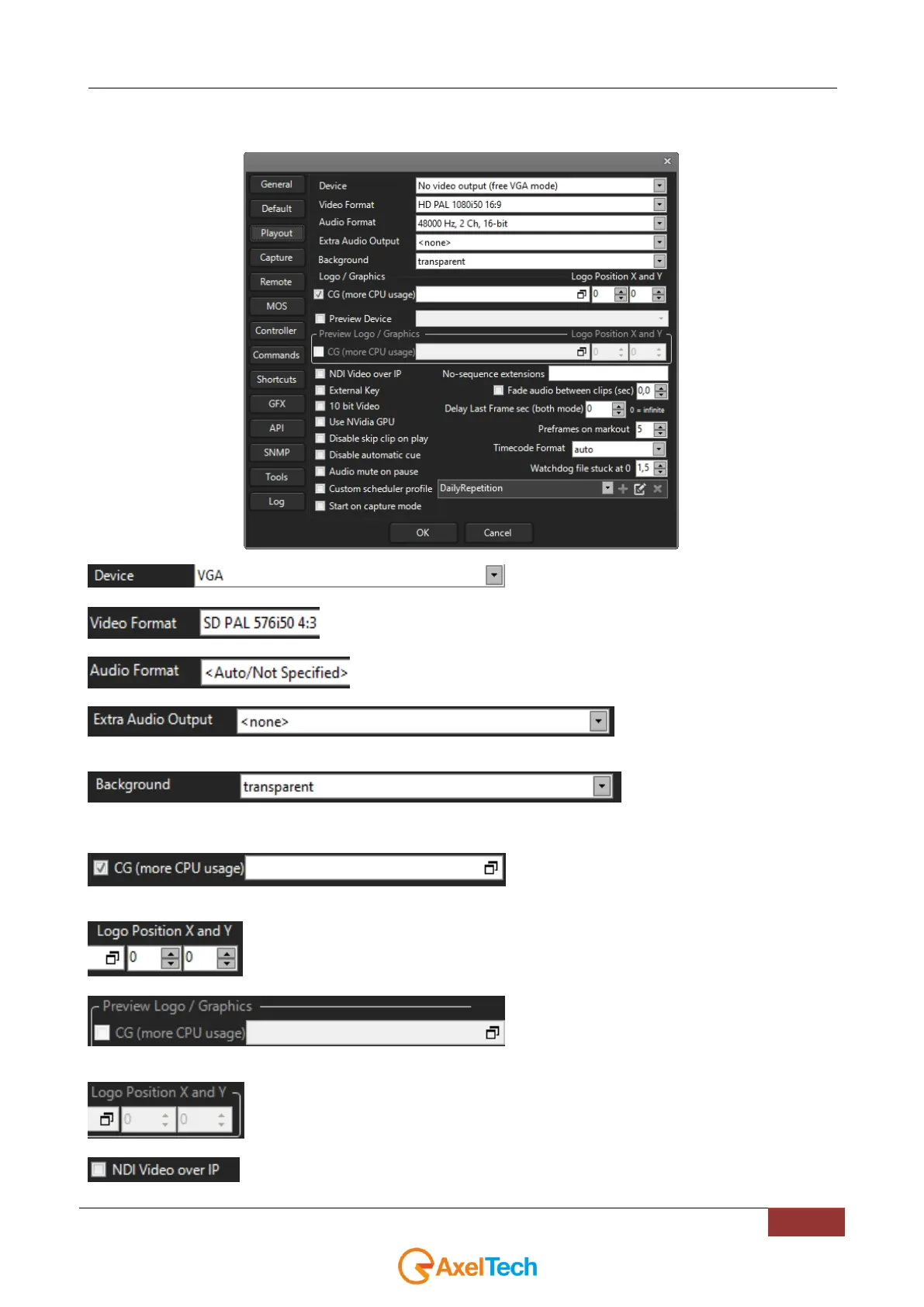
4.3 PLAYOUT
Set output device (e.g. Blackmagic)
Set video format
Set audio format
extra audio to be set in output (if
for example you need to hear the aired audio)
set the background of the playlist
(visible when it is stopped)
enable the graphics engine (if enabled the CPU
used increases)
*
Logo position (if not set with Axel CG)
enable the graphic engine on the preview (if enabled
the CPU used increases)
Logo position for the preview (if not set with Axel CG)
enabling an output NDI channel



 To Next Page