ENG
4.6 MOS
When you set up a MOS device in the NCS, the simplest MOS configuration is without channels. In this case a MOS
device is identified with only his IP address and ports.
If you set up MOS channels for a MOS device the configuration will be one MASTER youplay instance and one or more
SLAVE instances. Every instance will have its Channel Id (different from all other instances), so you can assign a MOS
item to a specific channel/youplay instance.
The MASTER instance must be always running to maintain the communication between MOS and NCS.
For a MASTER/SLAVE configuration to work properly all instances must have the same Device ID and the same
Repository path.
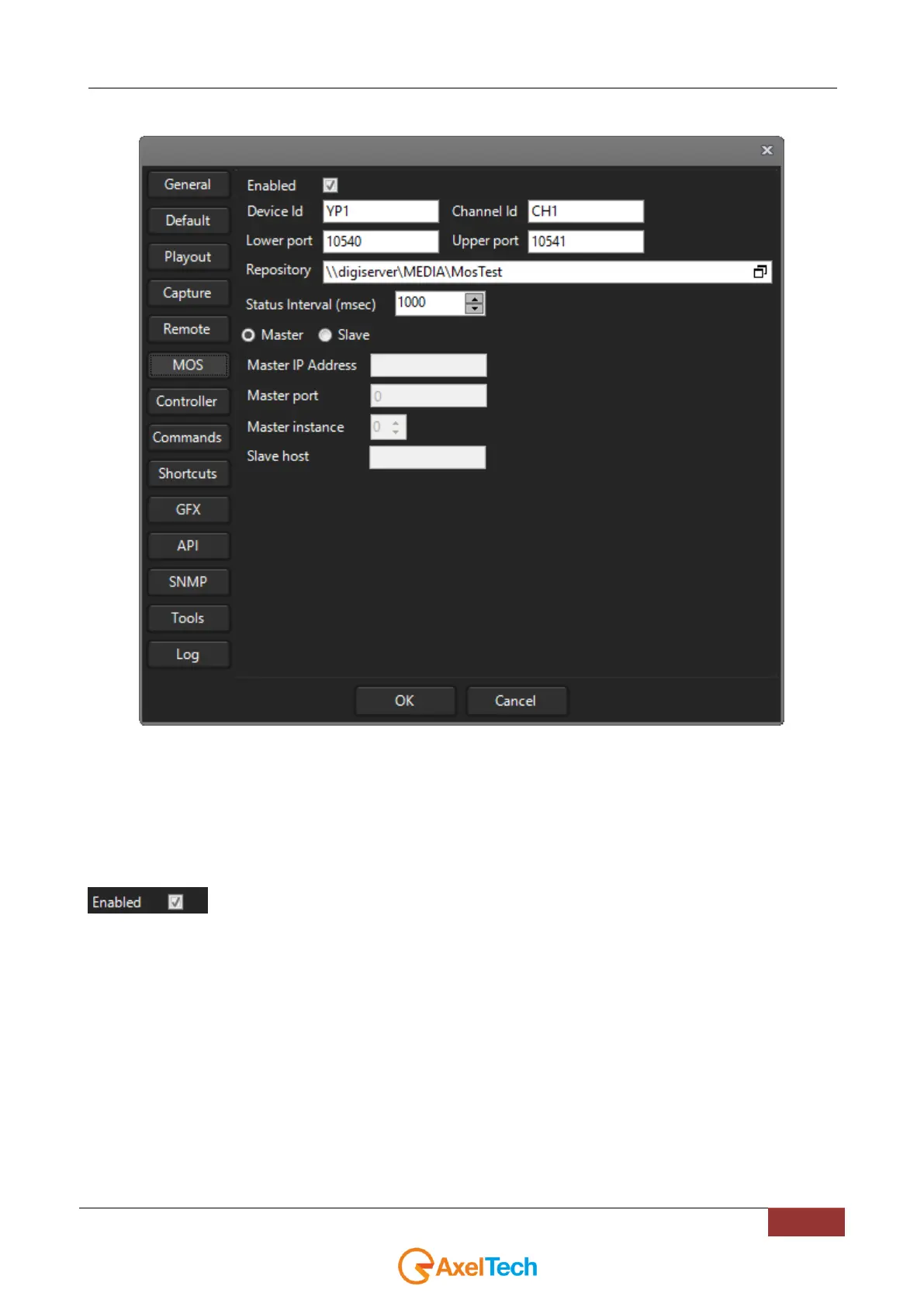
: This check enables/disables the MOS configuration for the current YouPlay instance.
DeviceID : Identifies the youplay machine
Channel ID: the channel name defined in the NCS (leave blank if you don’t use channels). Usually YouPlay1 is CH1,
YouPlay2 is CH2, YouPlay3 is CH3, YouPlay4 is CH4.
Lower/Upper ports: tcp ports used for network communication
Repository: Path containing the media associated with the MOS Device. The repository is automatically scanned for
new media.
Status interval: time interval between repository scans.
Master/Slave: set one mode according to the desired configuration
Master IP address: ip address of the master instance
Master port: default is 8090
Master instance: number of the master youplay instance
Slave host: the IP address of the machine running youplay (you can use 127.0.0.1 for SLAVE instances)



 To Next Page