ENG
4.8 COMMANDS
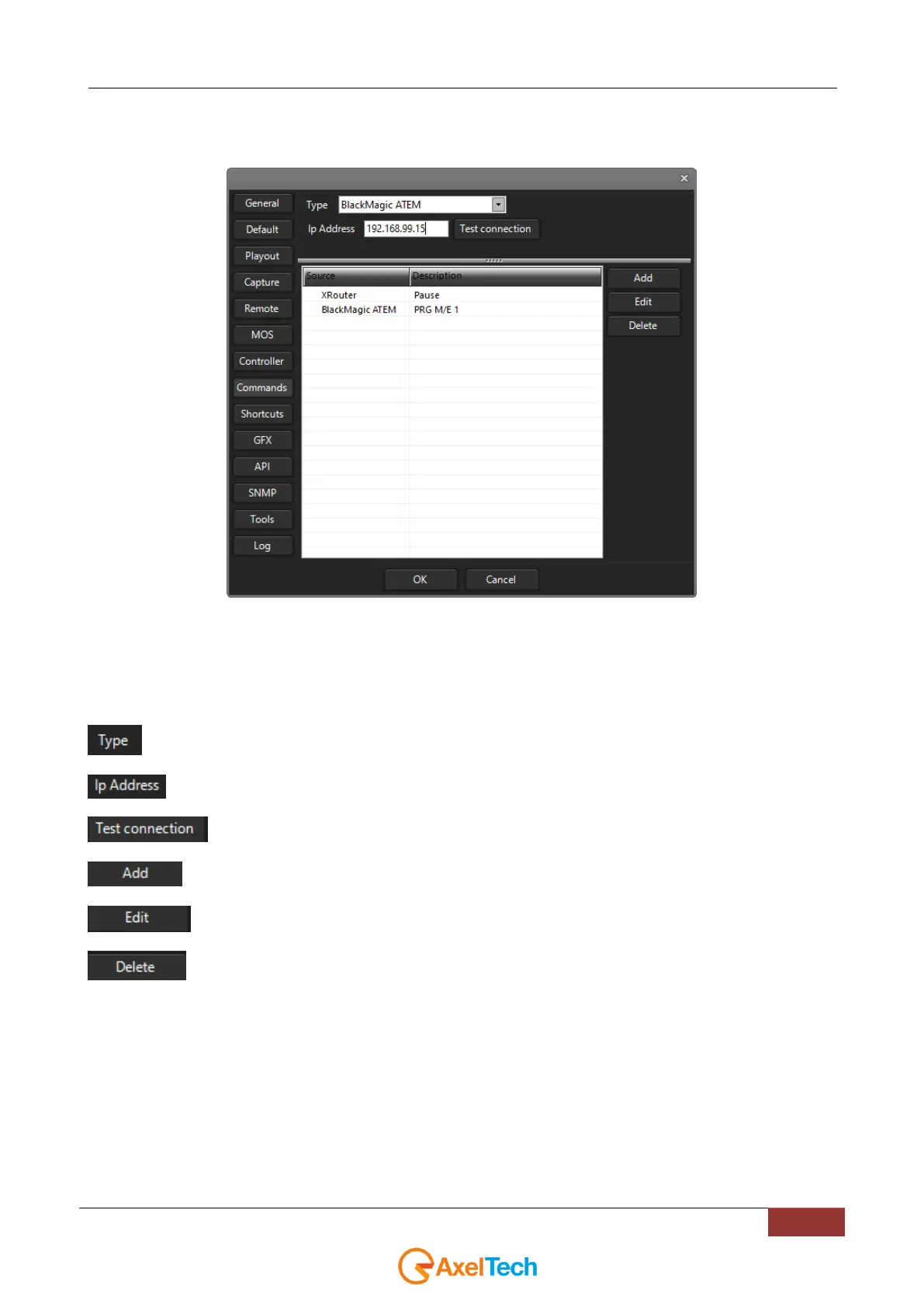
In YouPlay it is also possible to control external devices by the use of some special commands via TCP/IP.
In COMMANDS section you can add or edit multiple commands to send to multiple external devices.
The controllable external devices are listed below:
Tricaster
XRouter (Axel Technology software of the XTV Suite)
BlackMagic VideoHub
BlackMagic ATEM
Select a desired target between previous devices
Type the target device IP Address.
: By clicking on this button the connection with the selected device will be tested
Add a desired command to send to the target device
By clicking this button you can change the selected command or command name description
Select the command and press DELETE to remove it from the list.



 To Next Page