ENG
4.11 GFX
This function works only if you have Axel Technology XTRIMMER software
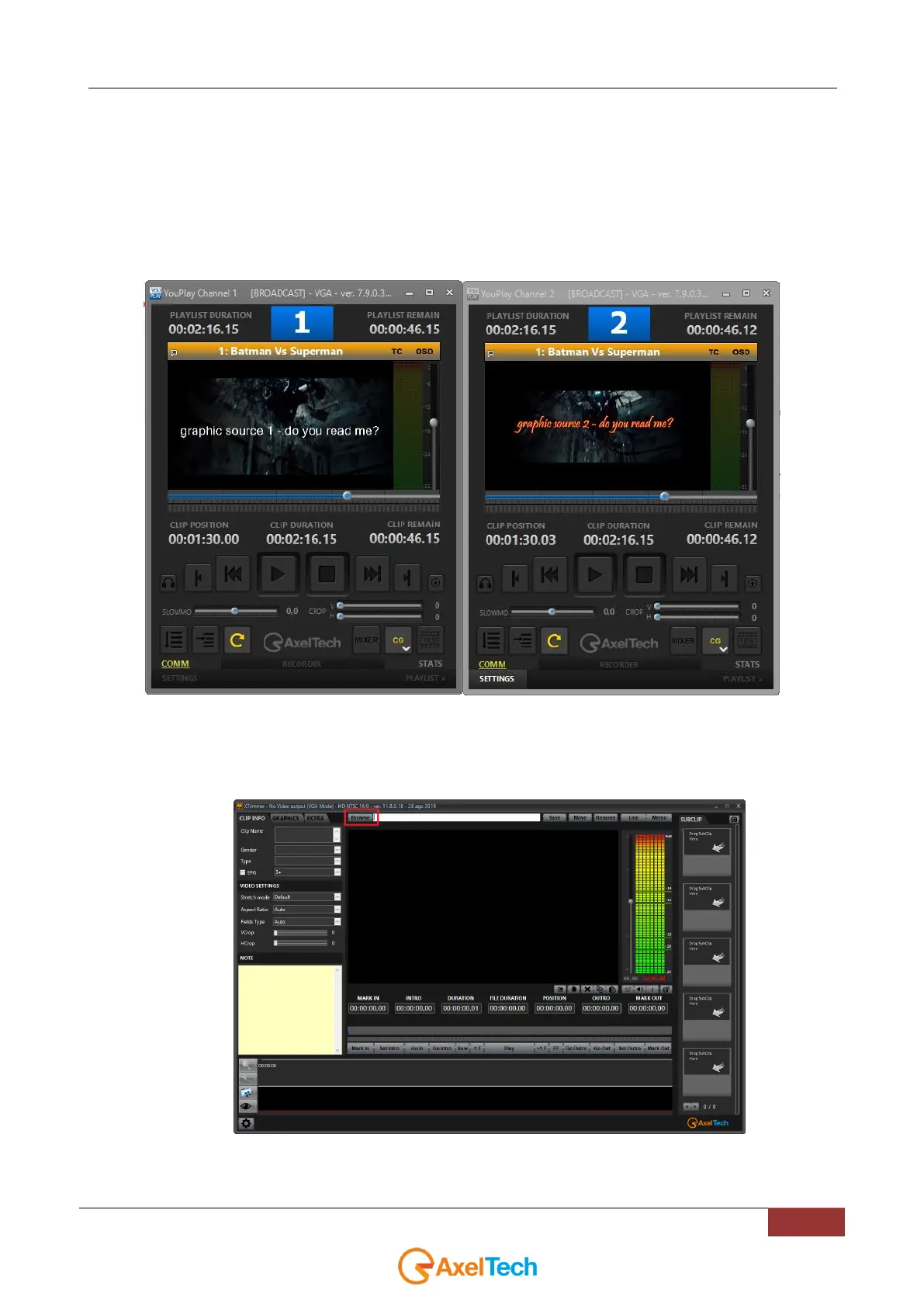
Through a CLIP TRIMMING on XTRIMMER it will be possible to allow a single video clip to associate different graphics
on different playouts.
For a single file, it will be possible to associate a specific graphic:
in example one for YOUPLAY1 instance and a totally different graphic for the YOUPLAY2 instance.
As you can see from the following pictures, we have in playing the same videofile.
The same videofile has a specific grafic on YOUPLAY1 and a different one for YOUPLAY2:
To do this proceed in the following way:
1. Firstly, If you have XTRIMMER (of Axel Technology XTV SUITE), open the desired clip on which you
want to apply GFX function. Click on the BROWSE button to select the clip from your folders as
described by the following picture:



 To Next Page