ENG
4 SETTINGS
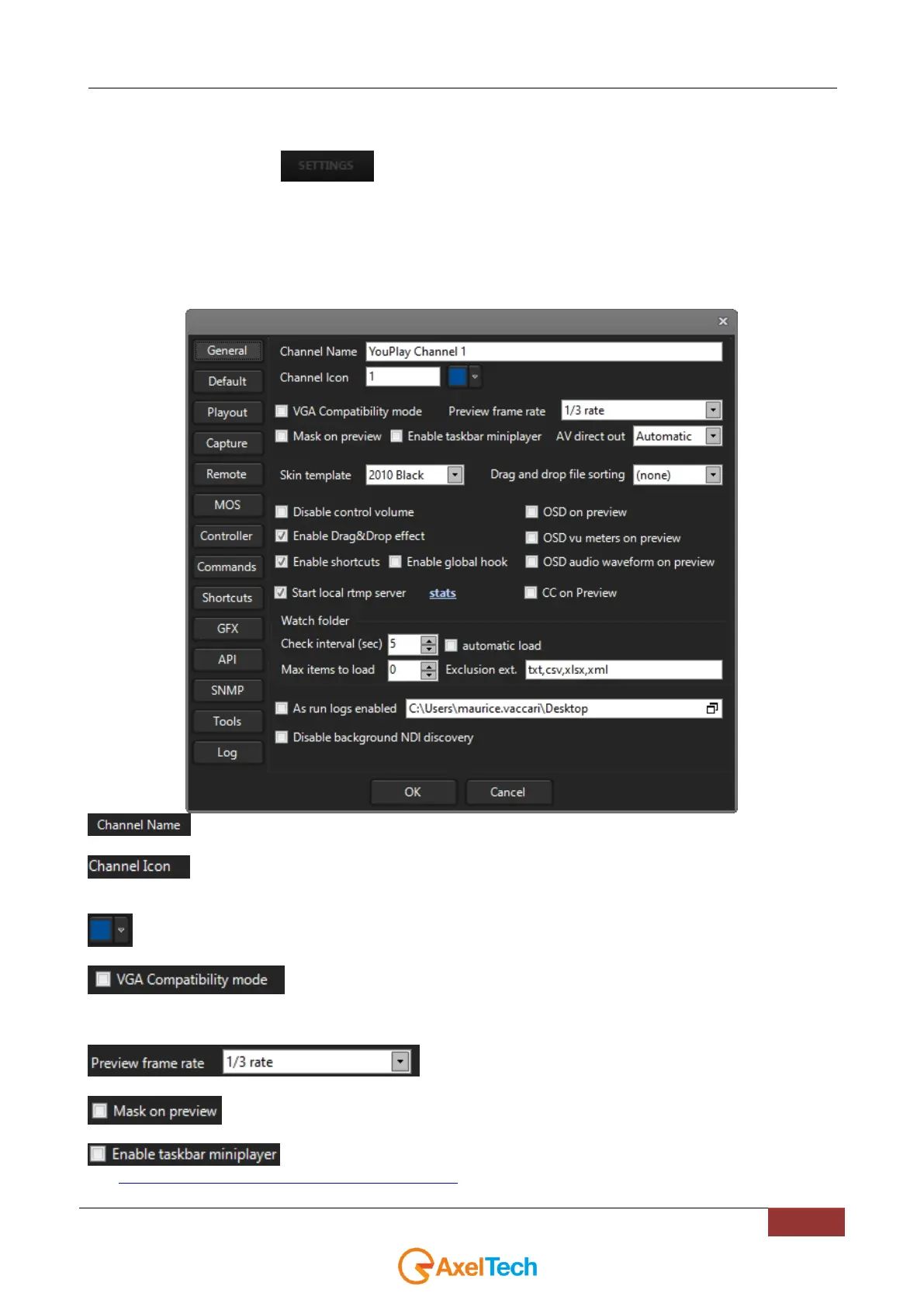
Click on the SETTINGS button to configure YouPlay.
There are ten different settings panels: General, Default, Playout, Capture, Remote, VDCP, Shortcuts, API, Tools, and
Log.
4.1 GENERAL
Name of the channel that will be shown on YouPlay
Channel Icon on YouPlay GUI. It is useful on multichannel mode to distinguish the channels. By default
you could find a number (1, 2, 3, 4)
Background color of the displayed Channel Icon (by default the Channel Icon is a number)
Change the video preview in order to be compatible with particular remote connection
software(e.g. remote Desktop)
Select the frame rate of the preview
Enables/disables the preview masking. If enabled you will not see the aired clip on the preview.
Enable DWM
(see http://en.wikipedia.org/wiki/Desktop_Window_Manager for details)



 To Next Page