ENG
4.12.2.2 CONTROLLING THE VCR FROM THE YOUPLAY GUI
Without the webpage intermediation it is possible to control the connected VCR device directly from the local YOUPLAY
GUI.
To open the VCR panel, please execute the following operations:
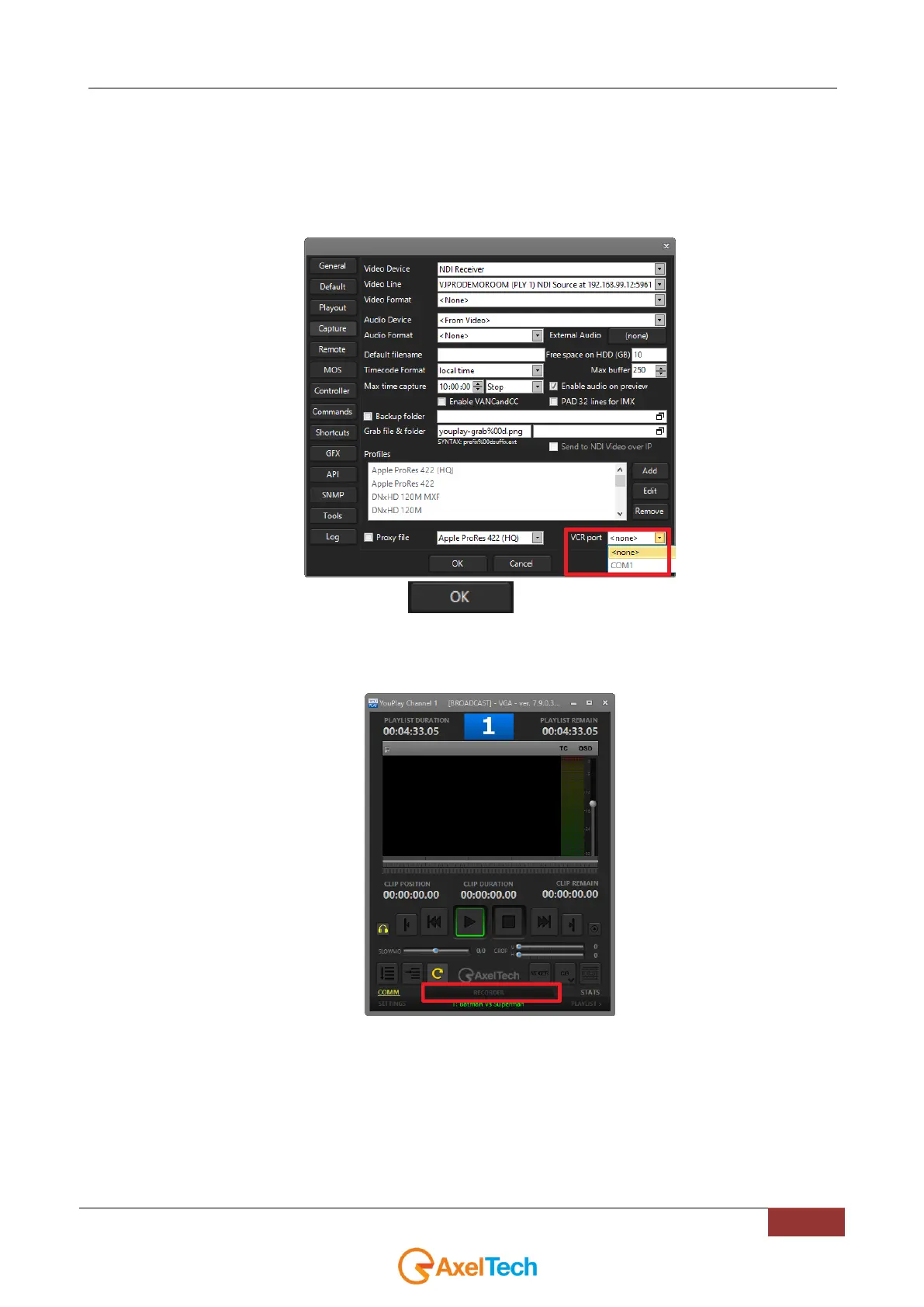
1. Select the COM port to which the external VCR is connected in
YouPlay > Settings > Capture > VCR port
2. After the COM port selection, click on
3. YouPlay will automatically reboot
4. From the main page of YOUPLAY GUI click on RECORDER button, as explained from the following
picture:



 To Next Page