Section 2: Basic Installation
AXIS 700 User’s Manual 21
Using the
User Interface
From the AXIS 700 user interface you can set these parameters:
• Internet address
• Default router
•Subnet mask
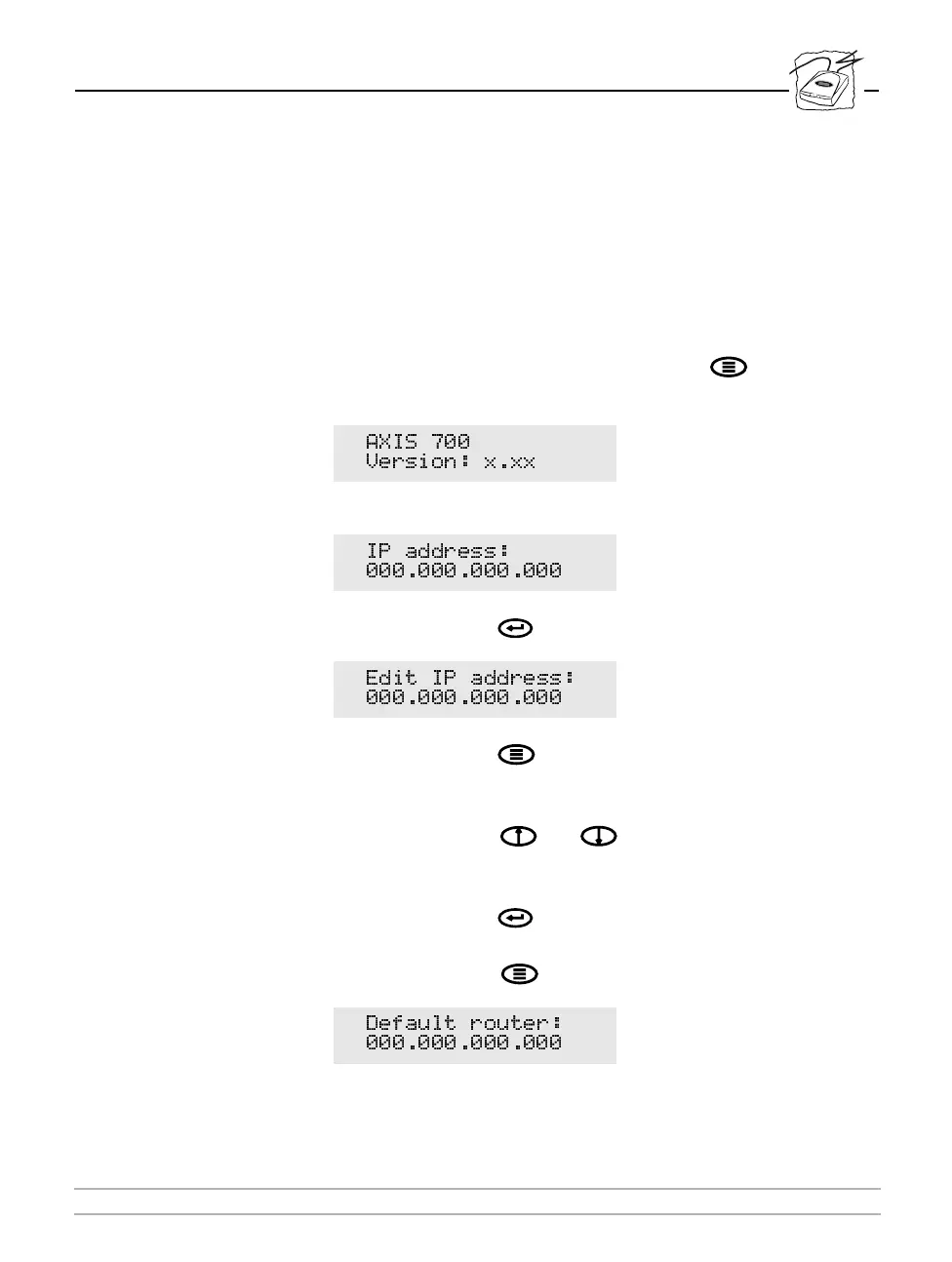
To set the Internet address from the user interface, follow these steps:
1. Power up the AXIS 700. Press the Menu key when this
display appears:
2. After a few seconds this display will be shown:
3. Press the Enter key to edit the Internet address:
4. Press the Menu key to move through the digits and highlight
each digit one at a time.
5. Use the Arrow keys and to increase or decrease each
highlighted digit, as required.
6. Press the Enter key to confirm the changes.
7. Press the Menu key to display the default router address:
$;,6
9HUVLRQ [[[
,3 DGGUHVV
(GLW ,3 DGGUHVV
'HIDXOW URXWHU



 To Next Page