10
Remote Control
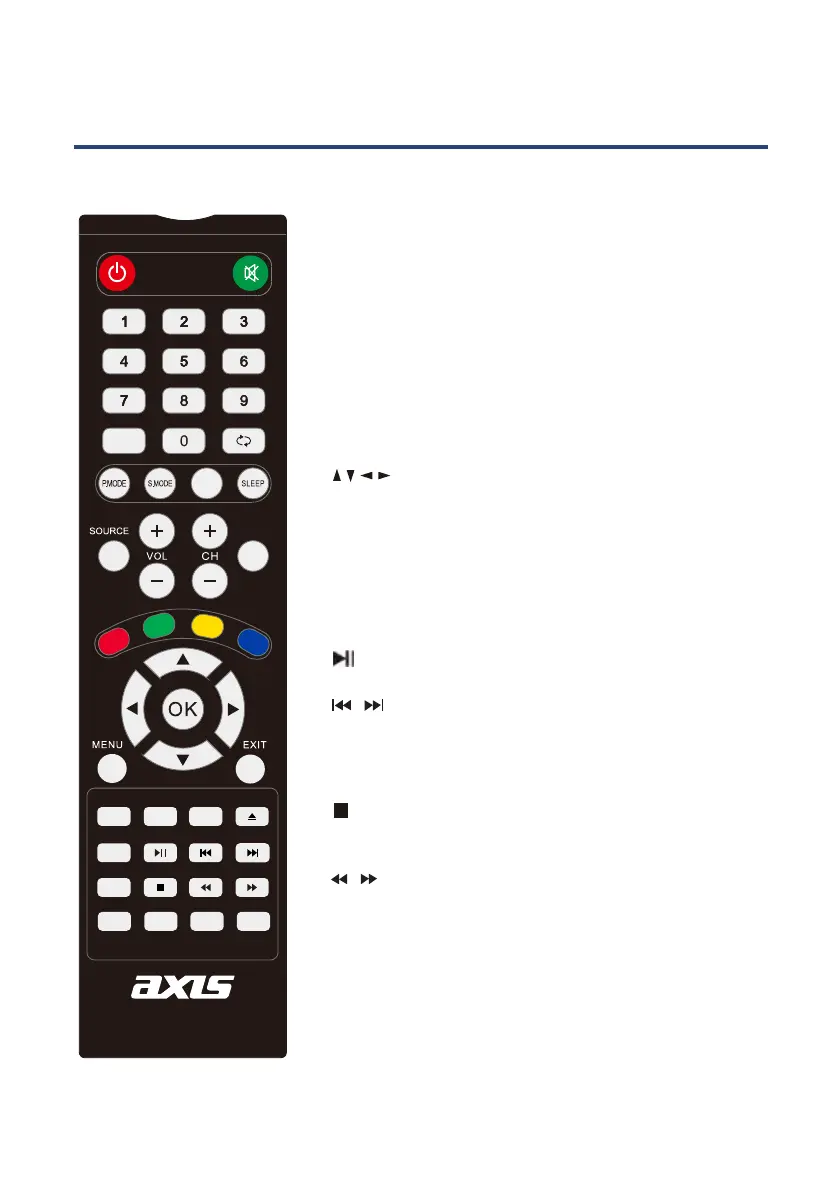
NUMBER BUTTONS: Press 0-9 to select a teletext page.
TEXT: Press to switch between TV and Teletext mode.
CLOUR BUTTONS: Select 4 preferred teletext pages.
HOLD: Freeze the current page.
REVEAL: Reveal or hide the hidden words.
SIZE: Change the picture size.
SUBTITLE: Displays subtitles.
INDEX: Request index page when index is valid.
* Teletext or Austext is no longer available, nor is
there any plan for a replacement teletext service
in Australia. For more information, please visit
the websites of the Australian channel providers.
However, one teletext option, “closed captions”, is
still working on most Australian television channels.
This service allows you to activate subtitles while
watching normal television programs that provide it.
TELETEXT MODE*
SUBPAGE:
To go to the teletext subpage.
AUDIO
SUBTITLE
HOLD
SIZE
TEXT
REC
INDEX
SUBPAGE
TIMESHIFT
RAVEAL
MIX
EPG
TV/RADIO
DISPLAY
FAV
STANDBY
MUTE
PROGRAM
10
10+
GOTO
A-B
ANGLE
REPEAT
ZOOM
ASPECT
D.SETUP
D.MENU
TITLE EJECT
11
Remote Control
NUMBER BUTTONS: Press 0-9 to select a teletext page.
FAV: Display your favourite channel list.
MENU: Brings up the main menu to the screen.
DISPLAY: Press to display the source and channel
information.
/ / / /OK: Allows you to move, select and setup
the OSD options.
CH+/-: Channel up/down.
CLOUR BUTTONS: Used in a few sub menus.
SUBTITLE: Displays subtitles.
: PLAY/PAUSE in TIMESHIFT and MEDIA mode.
: Stop in MEDIA mode or exit the REC or TIMESHIFT
mode.
/ : Fast backward and forward in MEDIA mode.
/ : Jump to previous and the next track in MEDIA
mode.
SIZE: Change the picture format.
EPG: Launched the EPG (Electronic Program Guide).
TV/RADIO: Select TV or RADIO modes.
DTV MODE
REC: Recode the program in DTV mode.
INDEX : To enter the PVR Settings menu directly.
AUDIO
SUBTITLE
HOLD
SIZE
TEXT
REC
INDEX
SUBPAGE
TIMESHIFT
RAVEAL
MIX
EPG
TV/RADIO
DISPLAY
FAV
STANDBY
MUTE
PROGRAM
10
10+
GOTO
A-B
ANGLE
REPEAT
ZOOM
ASPECT
D.SETUP
D.MENU
TITLE EJECT



 To Next Page