12
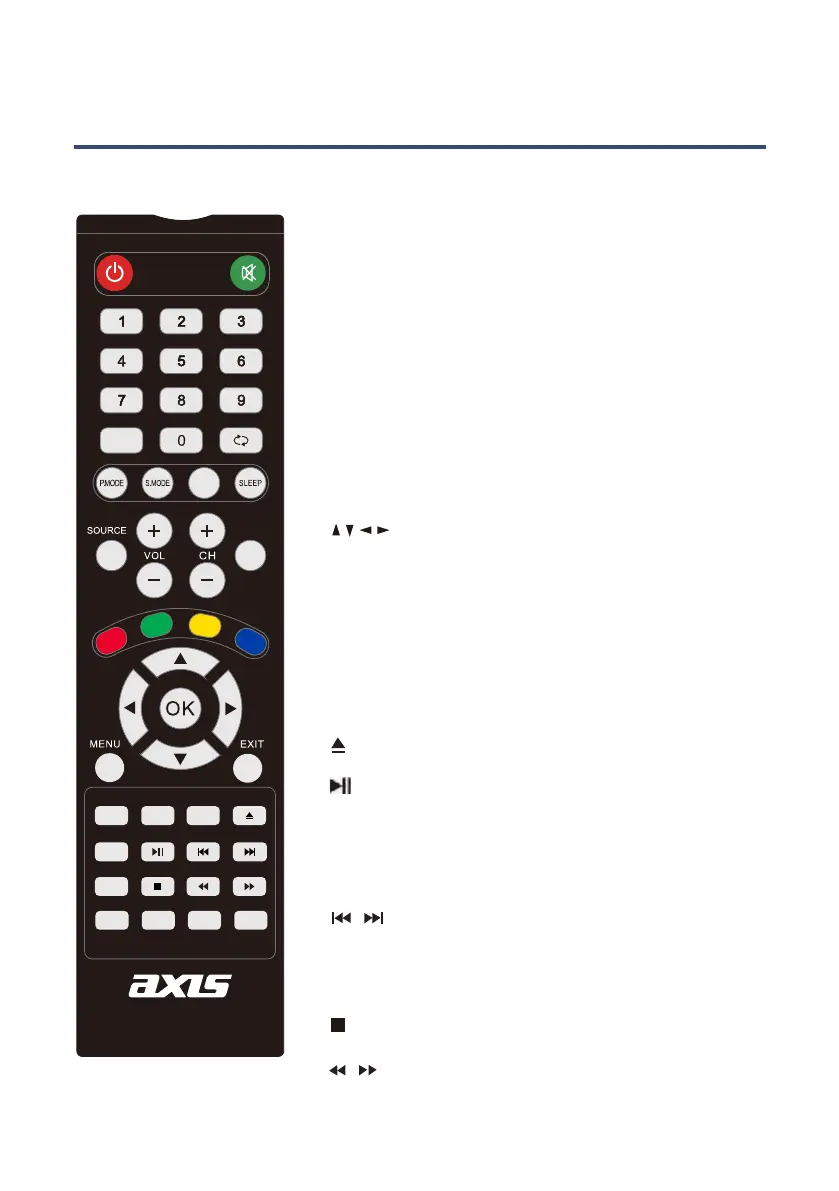
Remote Control
: Press to eject the disk
NUMBER BUTTONS: Press 0-9 to select a teletext page.
DISPLAY: Press to display the DVD information of DVD.
D. SETUP: Used for selecting programs. It may also be
used to execute commands.
/ / / /OK: Allows you to move, select and setup
the OSD options.
GOTO: Press to access the GOTO menu.
A-B: This button enables you to repeat a selected section
from the disc.
REPEAT: Press REPEAT to cycle through the repeat play
options.
SUBTITLE: Display subtitles.
TITLE: When DVD is playing, brings up the Title Menu.
ZOOM: In play state, press ZOOM, the player will zoom in
the picture once.
D.MENU: DVD disc menu. Access to menu
AUDIO: AUDIO selection buttons in DVD mode.
TIMESHIFT: Press to select timeshift function.
: PLAY/PAUSE in DVD mode.
: DVD Stop
/ : Fast backward and forward key
/ : Jump to previous and the next track/chapter.
DVD MODE
AUDIO
SUBTITLE
HOLD
SIZE
TEXT
REC
INDEX
SUBPAGE
TIMESHIFT
RAVEAL
MIX
EPG
TV/RADIO
DISPLAY
FAV
STANDBY
MUTE
PROGRAM
10
10+
GOTO
A-B
ANGLE
REPEAT
ZOOM
ASPECT
D.SETUP
D.MENU
TITLE EJECT



 To Next Page