10
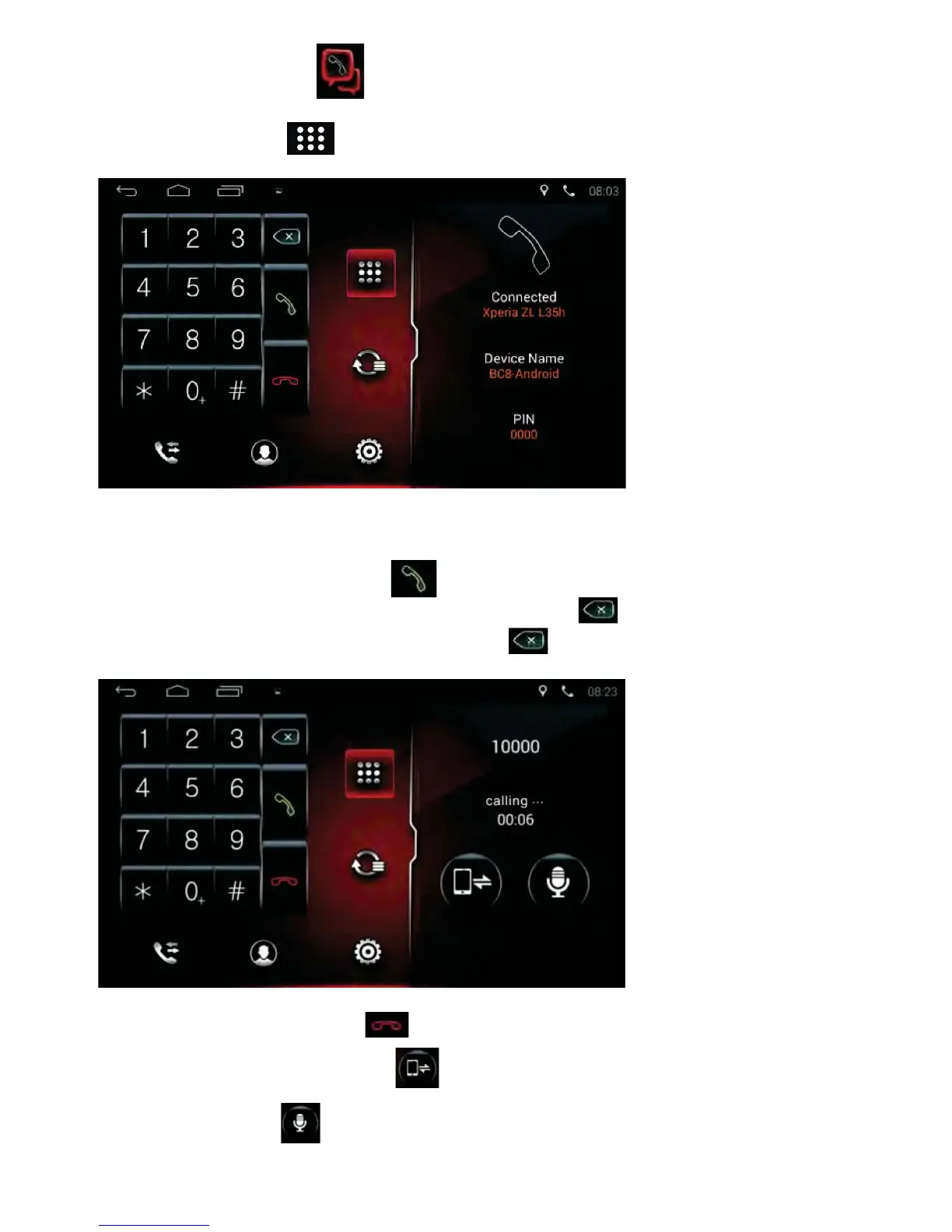
• Tap the Red Phone icon to end a phone call.
• Tap the Phone Switch icon to switch the call between the mobile
phone and the car audio.
• Tap the Mic icon to mute the mic.
Dial
• Tap the Phone icon on the Home Page to enter the phone interface.
• Tap the Dial icon to enter the interface below:
• After the mobile has connected to the unit successfully, input the phone
number by tapping the Number buttons on the screen.
• Tap the Green Phone icon to make a call.
• If a wrong number is selected, tap the Delete icon to delete one
digit at a time. Press & hold the Delete icon to delete all.



 To Next Page