15
<RXFDQSOD\DXGLR¿OHVIURPD86%GHYLFHRUIURPWKHLQWHUQDO
memory. The music formats supported by this unit include:
MP3, M4A, WAV, AMR, WMA, OGG, AAC, MID, etc.
:KHQSOD\LQJDPXVLF¿OHWKDWLVQRWVXSSRUWHGWKHV\VWHPZLOO
GLVSOD\³IDLOWRSOD\DVWKH¿OHIRUPDWLVQRWVXSSRUWHG´
7DSWKH,ŻŻŹŹ,LFRQWRSOD\SUHYLRXVQH[WVRQJ
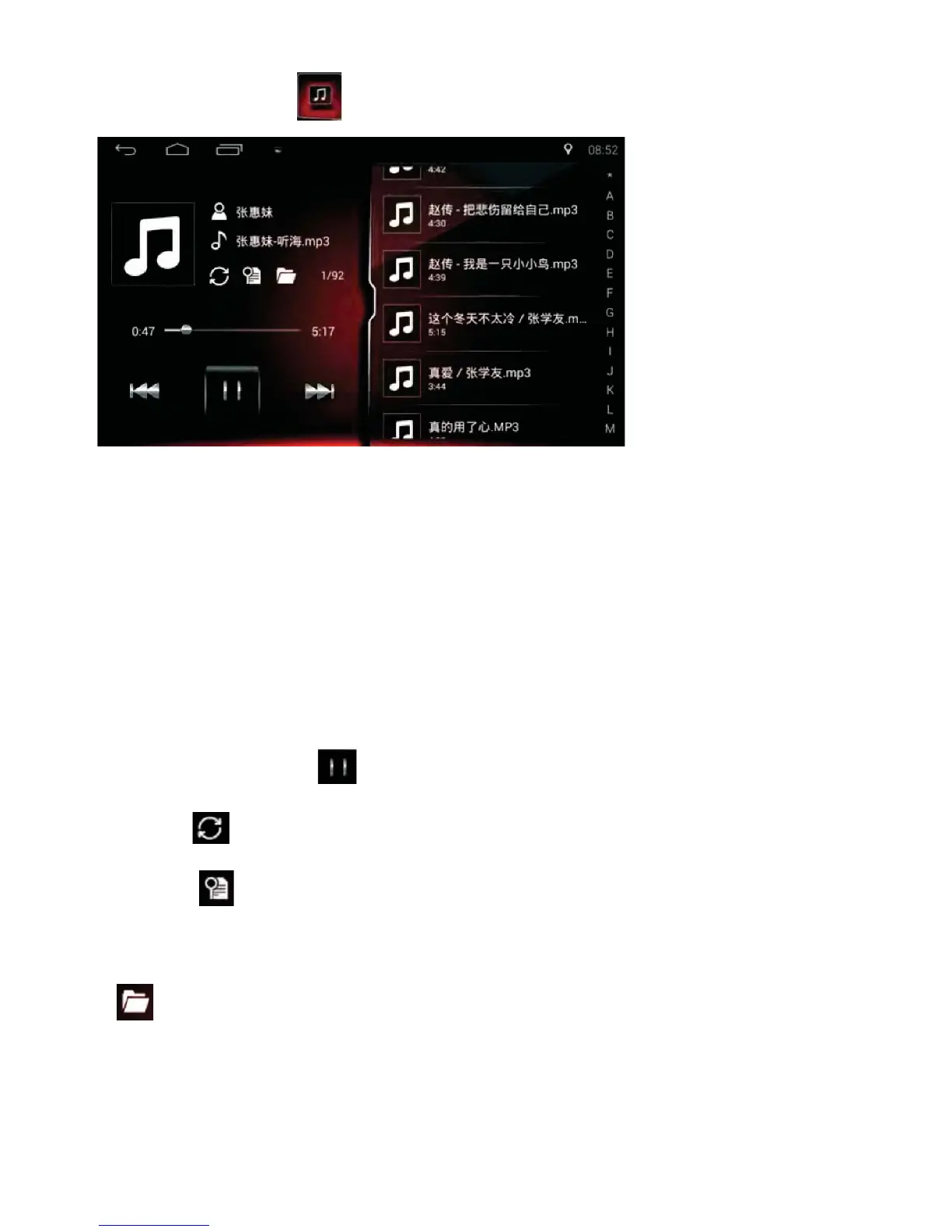
• Tap the Pause icon to switch between Pause/Play.
7DSWKHLFRQIRU5HSHDW6KXႉHFRQWURO
• Tap the icon to search the internal memory for recently added songs.
All folders containing music will be added to the list. (Including external
storage).
• List all folders containing music.
Music Function
Tap the Music icon on the Home Page to enter the interface below:



 To Next Page