8
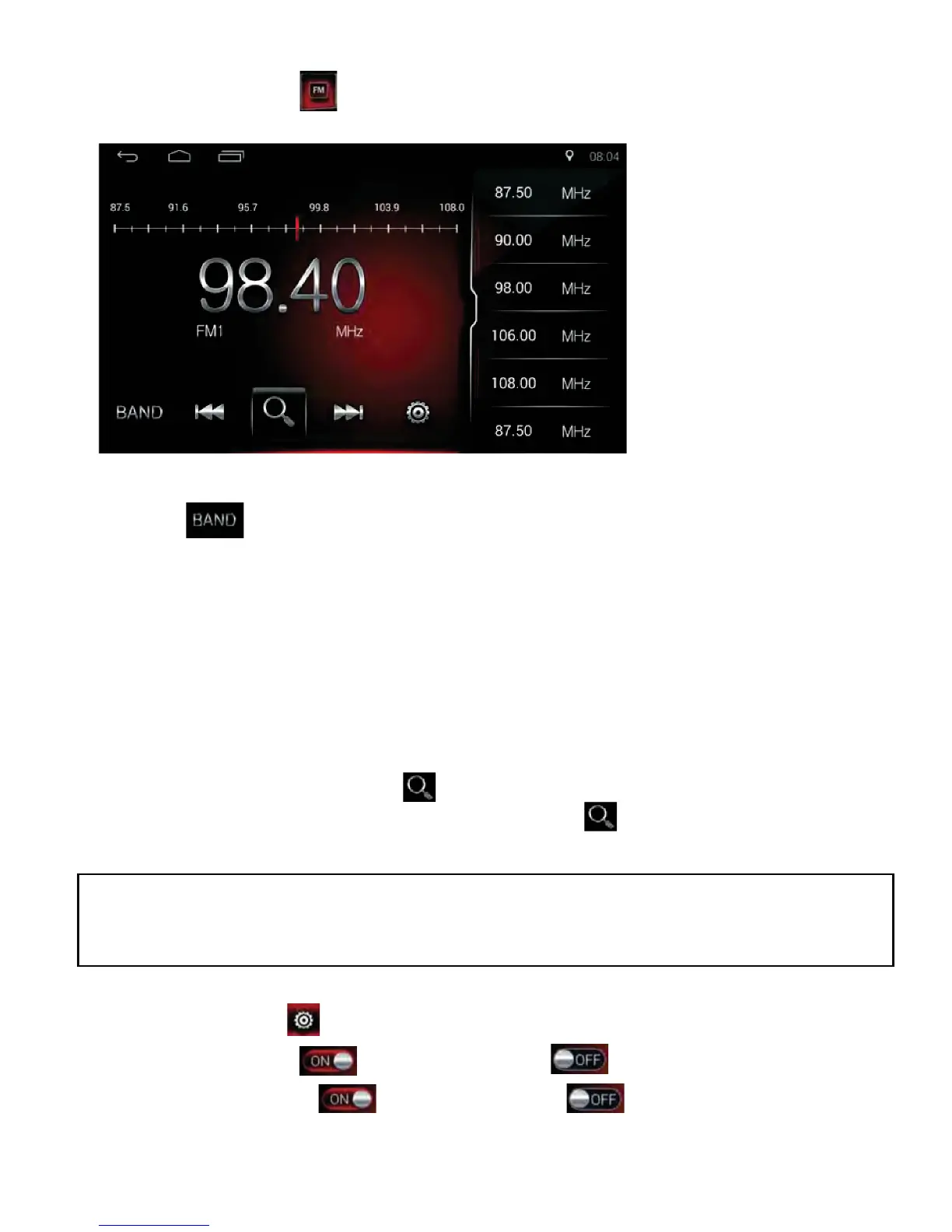
Radio Band Select
Tap the icon to switch the radio bands: FM1/FM2/FM3/AM1/AM2.
Tune and Seek
3UHVVWKHLFRQ,ŻŻDQGŹŹ,WRWXQHSRLQWE\SRLQW
3UHVVDQGKROGWKHLFRQ,ŻŻDQGŹŹ,WRVHHNDXWRPDWLFDOO\,WZLOOVWRS
seeking when a station is found.
Auto Search and Store Stations
Press & hold the search icon to auto search and auto store the
searched stations. During search mode; tap the icon again to stop
seeking.
Settings
• Tap the settings icon to enter setting interface.
• Tap the ST button to select Stereo or to select Mono.
• Tap the LOC button to select Local or to select Distance.
NOTE: 18 stations will be stored in FM band (6 stations in FM1/FM2/FM3);
12 stations will be stored in AM band (6 stations in AM1/AM2).
The system will stop seeking after one-cycle.
Radio Function Operation
Tap the Radio icon on the Home Page to enter the radio interface.



 To Next Page