5
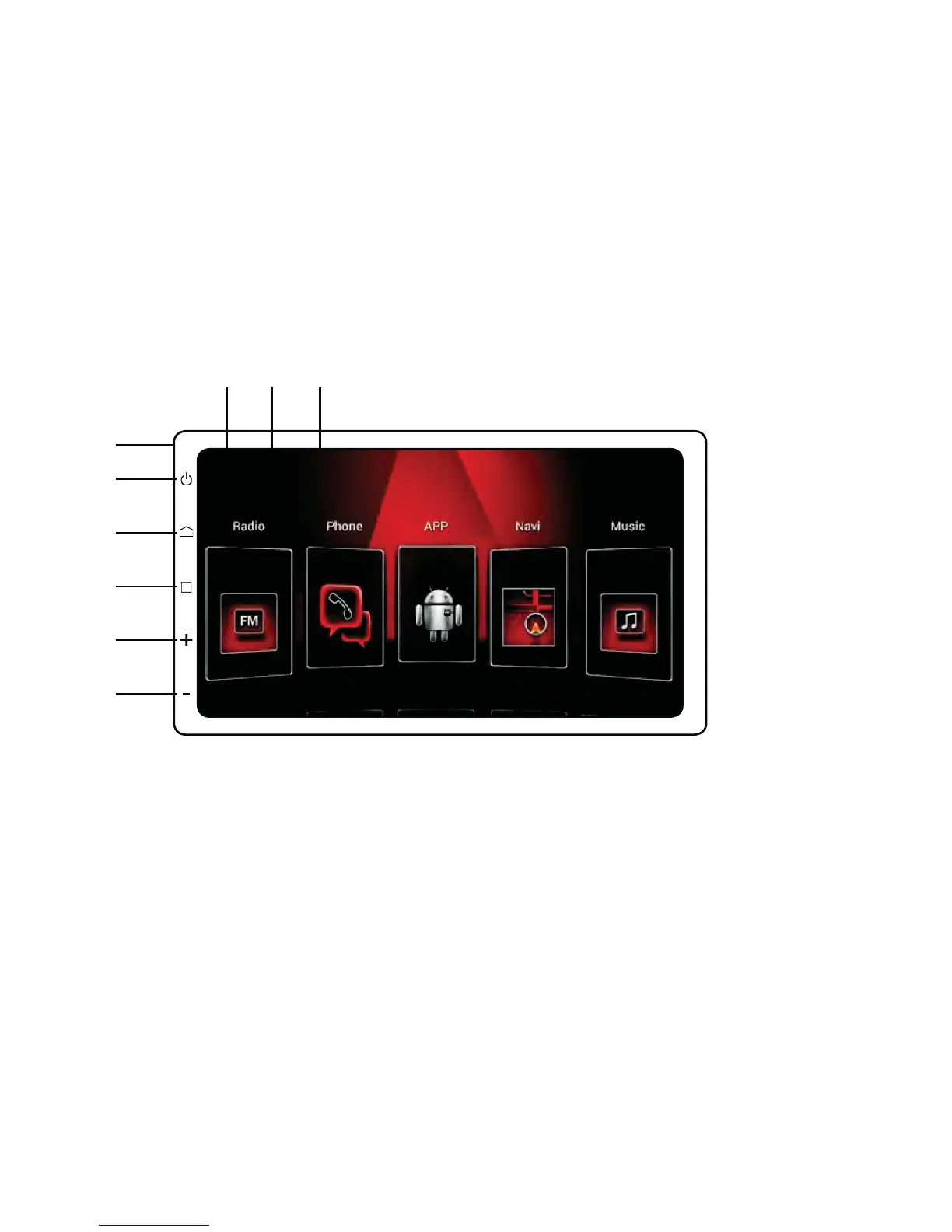
Panel Introduction
1. Return to Previous Screen
2. Home Page
3. Recently Opened/Running Pages
4. HF Microphone Port
2Q2ႇ0XWH
6. Home Page
7. Return to Previous Screen
8. + Volume
9. - Volume
Cleaning the Unit
• If there is any dirt or marks on the front panel, clean the panel using
a dry, soft cloth.
• If the panel is very dirty, clean the panel with mild detergent and then
ZLSHWKHGHWHUJHQWZLWKDFOHDQVRIWFORWK%HVXUHWKDWQRÀXLGVHQWHU
the unit, as this will void the warranty.
123
6
7
4
5
8
9



 To Next Page