29
iGO Primo Map Upgrade Instructions
If you have optioned for iGO Primo Navigation and have received the latest
mapping from Audioxtra; please follow the instructions below:
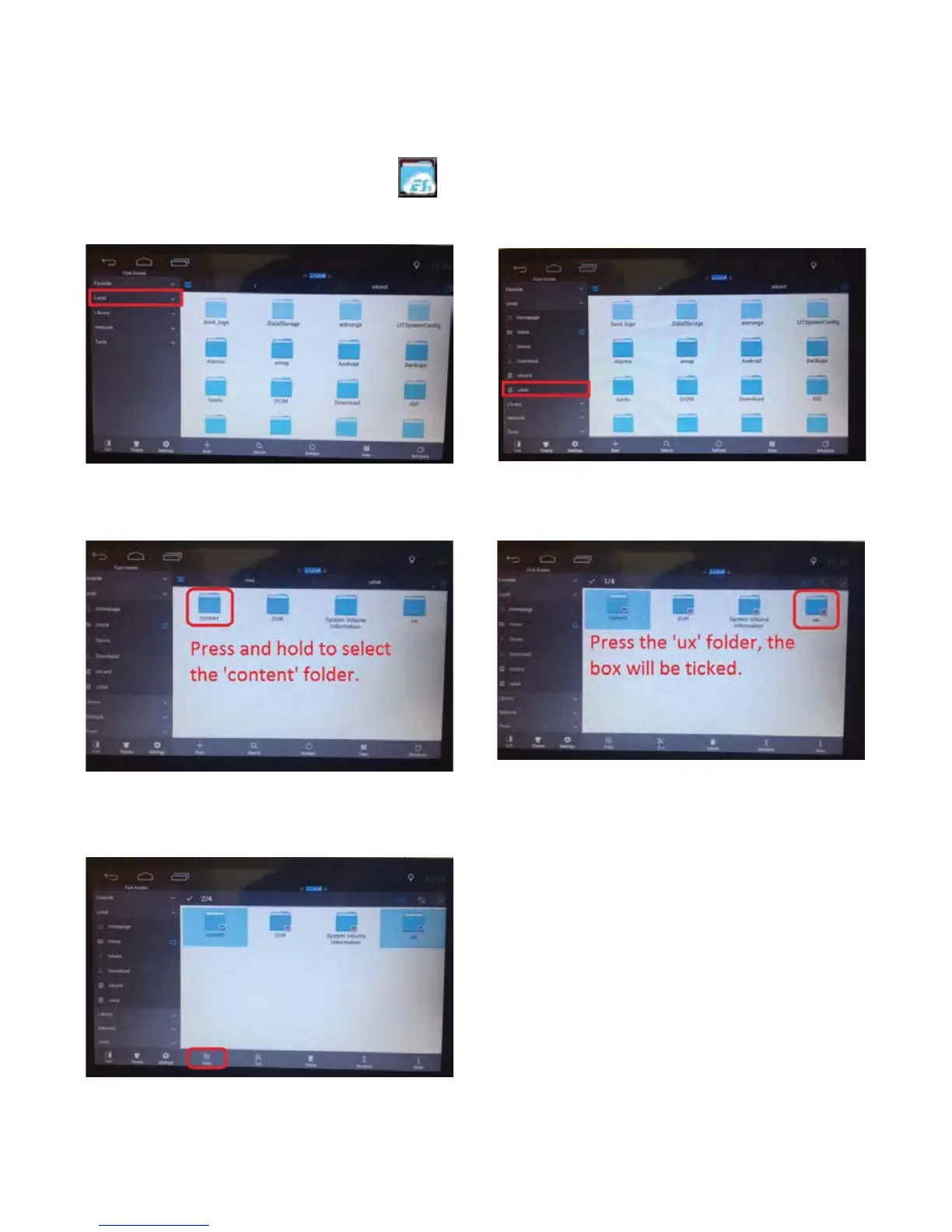
Tap the ES File Explorer icon in APP section of the home page.
The unit will display the following:
3) Press and hold “content” folder.
1) Tap “Local”. 2) Tap “udisk”.
4) Then press “ux” to select.
5) Then tap “copy”.



 To Next Page