6
7XUQWKHXQLWRQRႇ
• When the ignition switch is at ACC ON position, the unit will power on
automatically.
:KHQWKHLJQLWLRQVZLWFKLVDW$&&2))SRVLWLRQWKHXQLWZLOOSRZHURႇ
automatically.
7RPDQXDOO\WXUQWKHXQLWRQRURႇSUHVVDQGKROGWKHPower icon on
the panel for more than 2 seconds.
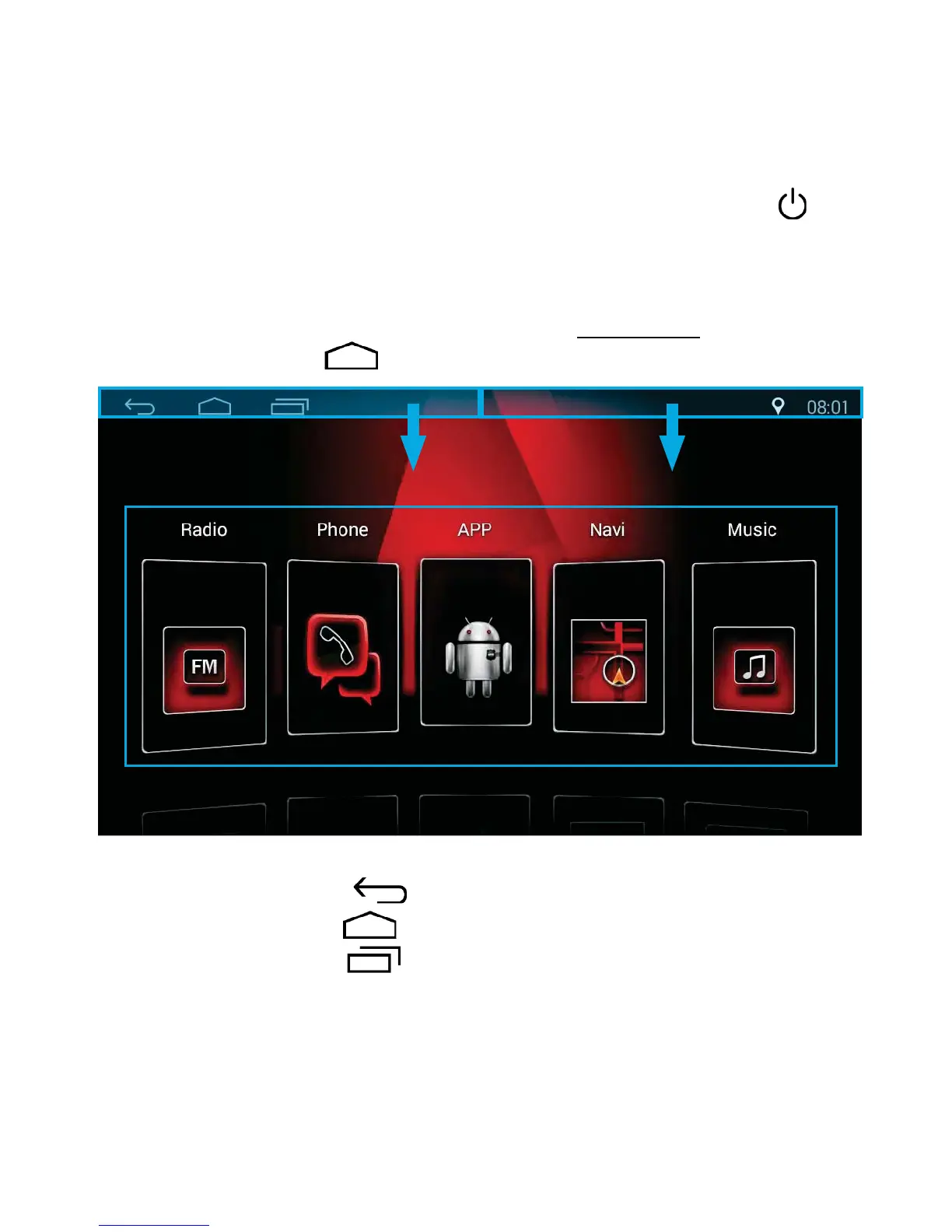
1. Press the Return icon to return.
2. Press the Home icon to go back to the home page.
3. Press the Pages icon to see recently opened and running pages.
Slide the pages up to close.
4. Slide down here to reveal the time and date.
5. Slide down here to reveal settings, car settings, memory clean, Wi-Fi,
brightness and volume.
6. Touch the icon to select your desired function.
Main Screen Interface
After the unit is turned on, the system will enter Radio mode by default.
Press the HOME icon to enter the Home Page.
See corresponding numbers above:



 To Next Page