21
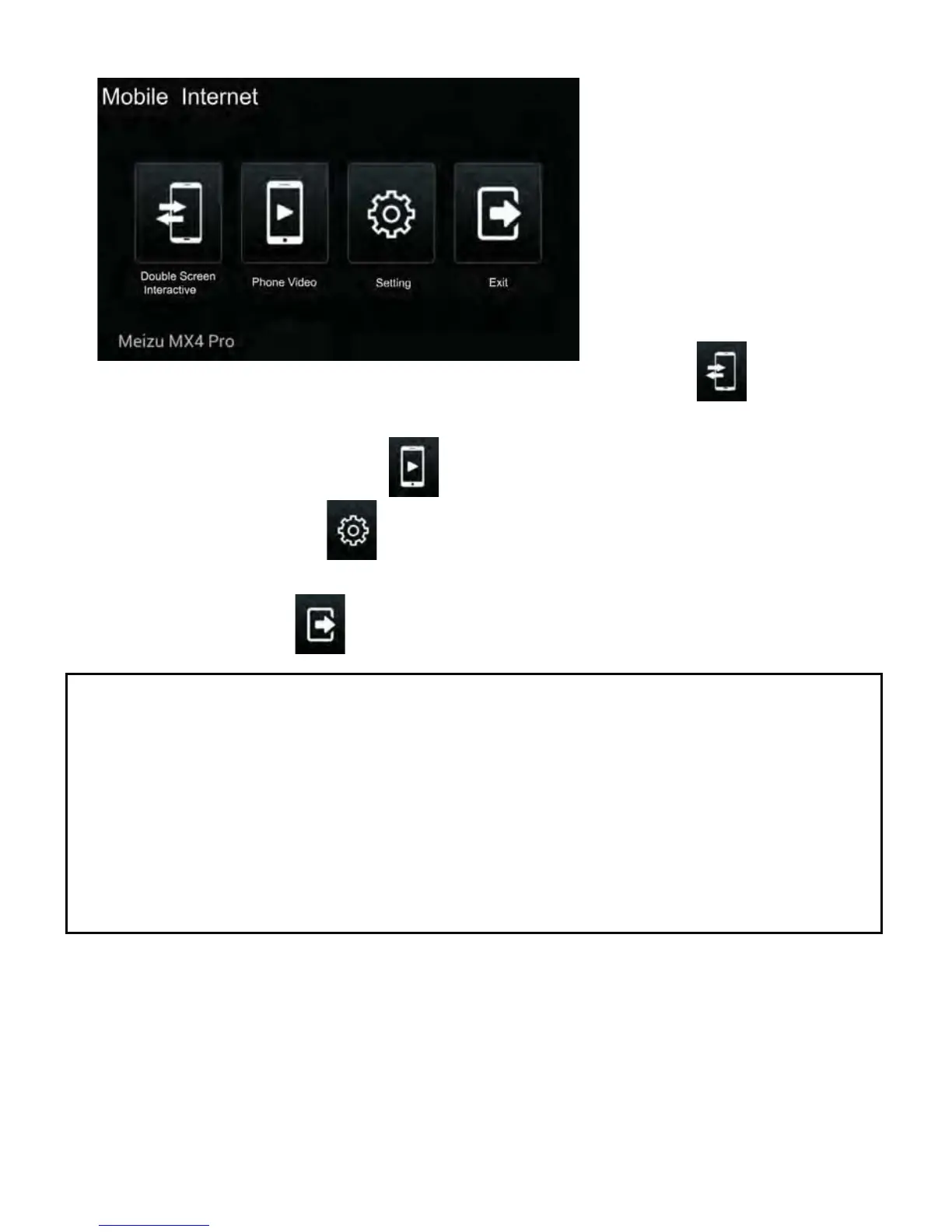
• Tap the Double Screen Interactive/Mutual Control icon to switch
between Mobile main interface and Drive Mode interface.
• Tap the Phone VideoLFRQWRSOD\WKHYLGHR¿OHVLQWKHPRELOH
• Tap the Setting icon to set the functions: Mutually Control/Smooth
Mode/Bluetooth Prompt/Auto-turn Drive Mode on etc.
• Tap the Exit icon to exit mirror link function.
NOTE:
• After the mobile has connected to the unit successfully, the mobile and
the unit will be operated synchronously.
• The Mirror Link function only supports the Android Mobile with OS 4.2
or above.
$IWHU%OXHWRRWKFRQQHFWLRQLVGRQHWKH0LUURUOLQNIXQFWLRQZLOOEHDEOHWR
SOD\WKHPXVLF¿OHVIURPWKH0RELOH3KRQH
6RPHLQVWUXFWLRQVPD\GL௺HUDVPRELOHEUDQGVDQGPRGHOVDUHGL௺HUHQW
4) Click to install and enter the “Mirror Link” interface:



 To Next Page