Azure Imaging System User Manual Page 6
1. Introduction
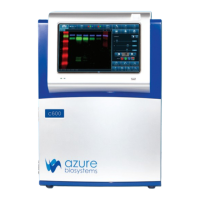
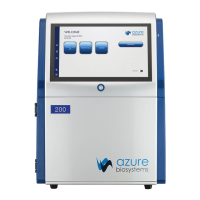
The Azure Imaging System offers high performance imaging for a wide variety of applications. The family of
instruments includes the following products: 200, 280, 300, 300Q, 400, 500, 500Q, and 600.
Select which one ts your applications now, and learn more about upgrading later when your needs change.
Each Azure imaging workstation can be upgraded in the eld to a higher model with a wider
range of applications. Contact your Azure representative to nd out about upgrade options at
info@azurebiosystems.com.
The Azure imaging system includes the following key components:
• Cabinet – The cabinet is a light tight image station. It includes the camera and lens, light sources, lter
wheel, integrated touchscreen computer, Ethernet, and USB ports for data collection and external
computer control.
• Camera – High resolution camera, preinstalled in the system.
• UV Transilluminator – The UV illuminator provides 302nm and 365nm trans illumination. It is
mounted on a pull-out tray.
• EPI LEDs – The LED module allows you to take images using Blue Light excitation and true
color images.
• EPI RGB LEDs – High intensity LED illuminators (Azure 400 and 600).
• EPI 685 and 784 Laser Diodes – (Azure 500 and 600).
• Filter Wheel – The 7-position lter wheel is automated. It includes the standard Orange lter
for most UV uorescent applications, and additional Red, Green, Blue, and/or IR lters for
multichannel systems.
• Integrated Computer – The touch screen PC is completely integrated for system control and
image acquisition.
• Black Tray – Stored in the front door, the Black Tray (also called Blot Tray) is required for imaging all
blots. For uorescence and chemiluminescence applications that do not use the UV Transilluminator,
it can be placed on the UV transilluminator, or on the top shelf in the cabinet.
• Trans White Table – The Trans White Table can be plugged into the system with the cable behind the
UV transilluminator. This table is placed on top of the UV transilluminator and provides an even light
source that can be used for imaging of colorimetric gels, silver stain gels, cell-culture plates and other
transparent, colorimetric samples. The Trans White Table will only turn on when the system door
is closed.
• USB Ports – There are 2 USB ports for data transfer. One located on the front panel, and another on
the lower right side of the cabinet. A USB A to B port is also available for optional connection to an
external computer.
• USB Memory Stick – The Azure Biosystems memory stick contains calibration les relevant to your
imaging system.
• AzureSpot Analysis Software – Please contact our technical support to receive your electronic
license at support@azurebiosystems.com. Be sure to have your system serial number when you reach
out for support for the AzureSpot Analysis Software license keys.


 To Next Page