Azure Imaging System User Manual Page 8
2.1 System Placement
WARNING: Excessive Weight Hazard – Please use two or more people to lift the system. Failure to do so
can result in system damage and personal injury.
As with all electrical instruments, the Azure imaging system should be located away from water, solvents,
or corrosive materials, on a at and stable surface with adequate clearance on all sides. The system must
remain stationary during operation.
The system should be placed away from interfering electrical signals and magnetic elds. If possible, a
dedicated electrical outlet should be used to eliminate electrical interference from other instrumentation in
your laboratory.
The Azure Imaging System should be installed at no more than 3000 meters above sea level. The unit should
be placed out of direct, bright sunlight or illumination sources to guard against light leaks.
2.2 Connecting to Power
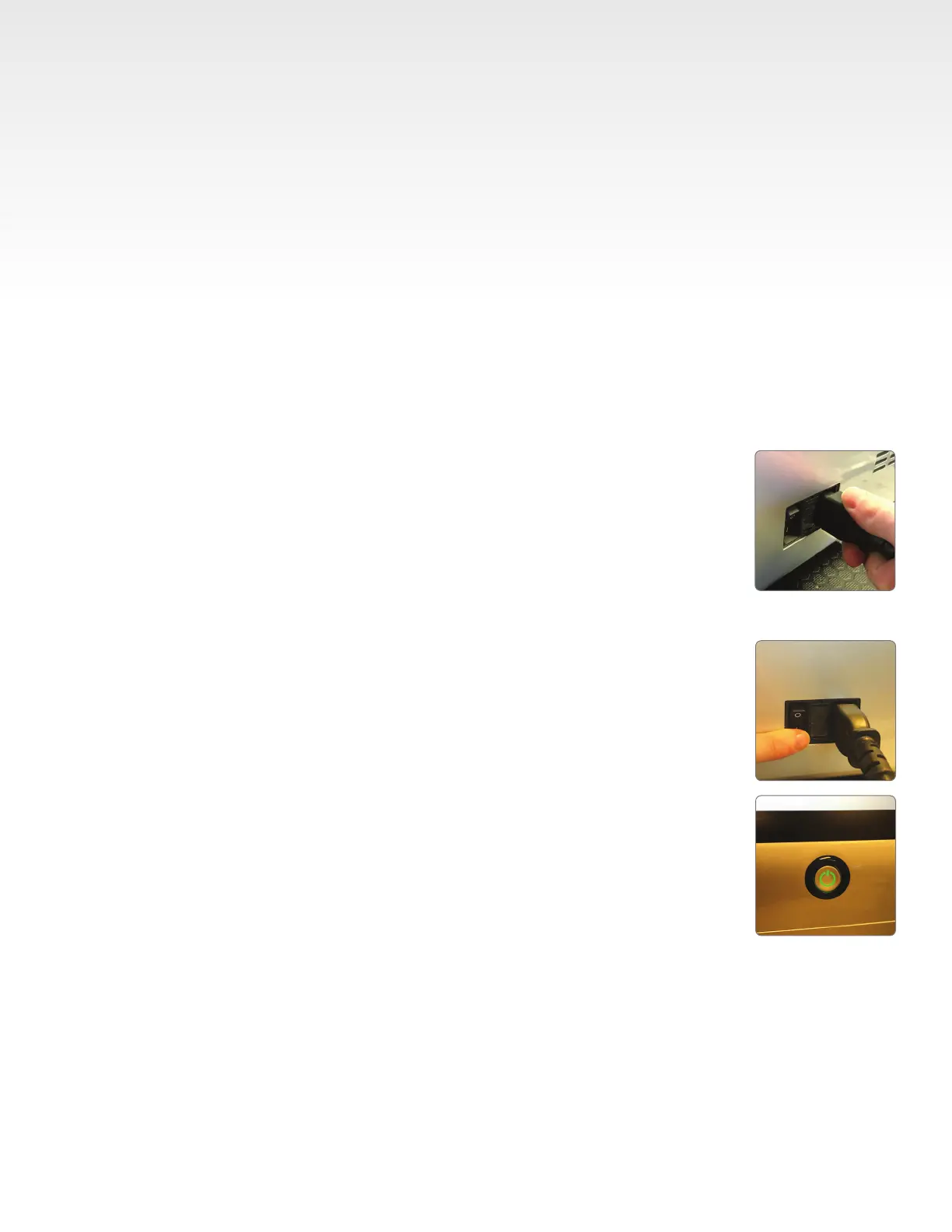
The power entry module is located in the lower right on the back panel of the system.
Connect the power cord to a secure power outlet.
It is important to connect the system to a well-grounded power source. Azure
Biosystems recommends that you employ a surge protecting power strip to
protect against unexpected power surges that may cause damage to the
electrical components.
2. Installation and Setup
2.3 Turning the System On/Off
The main power switch is located at the back panel, next to the power cord.
1. First, ip the power switch to On (l).
2. To wake the integrated computer, press the power button on the front of the
system. The power button on the front of the system will light up green when
the system is on.
3. Launch the Azure Imaging System software from the icon on the desktop.
To turn off the system, shut down the built-in computer by:
1. Closing the Azure Imaging System Software from the arrow icon on the
bottom left-hand side of the screen, or swiping left to right on the left side of
the screen to minimize the software window.
2. Turn off power to the system using the power switch on the back of
the instrument.
Azure Biosystems recommends leaving the system on during working hours.


 To Next Page