5 Design and Construction
22 DHV0017 b2 EN © b2 electronic GmbH
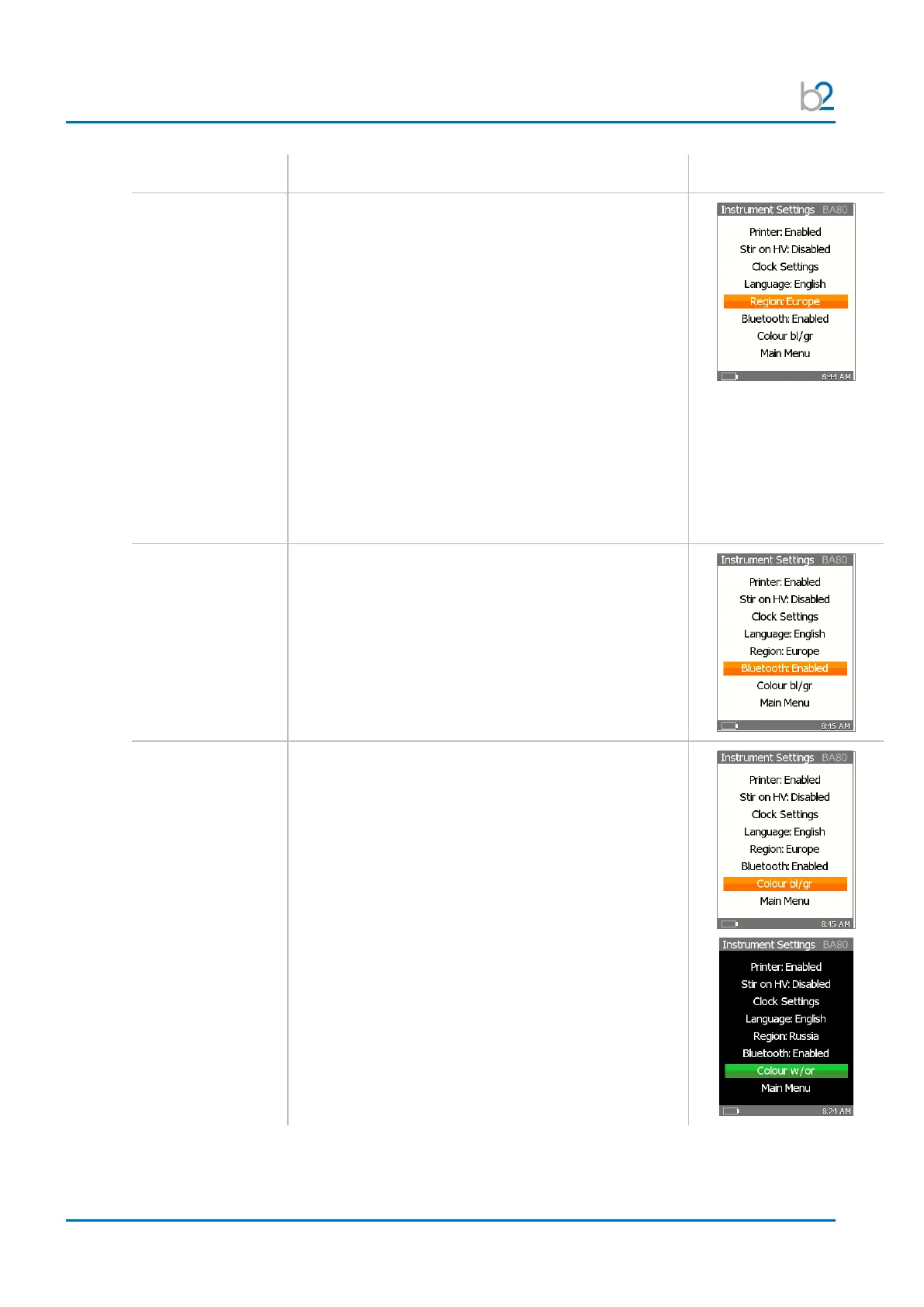
To change the region, with the cursor on
the “Language” option.
Use “OK” to toggle one of the following options:
• International
• US
• Europe
• Asia
• Russia
• Poland
• South Africa
• Czech
• GB
To enable or disable Bluetooth, with the cursor on
the “Bluetooth” option.
Use “OK” to toggle one of the following options:
• Enabled
• Disabled (Bluetooth Symbol is canceled)
To change between week and high contrast, with the
cursor on the “Contrast” option, click “OK” to toggle.
• Weak contrast
• High contrast
The BA unit will restart after changing the contrast.


 To Next Page