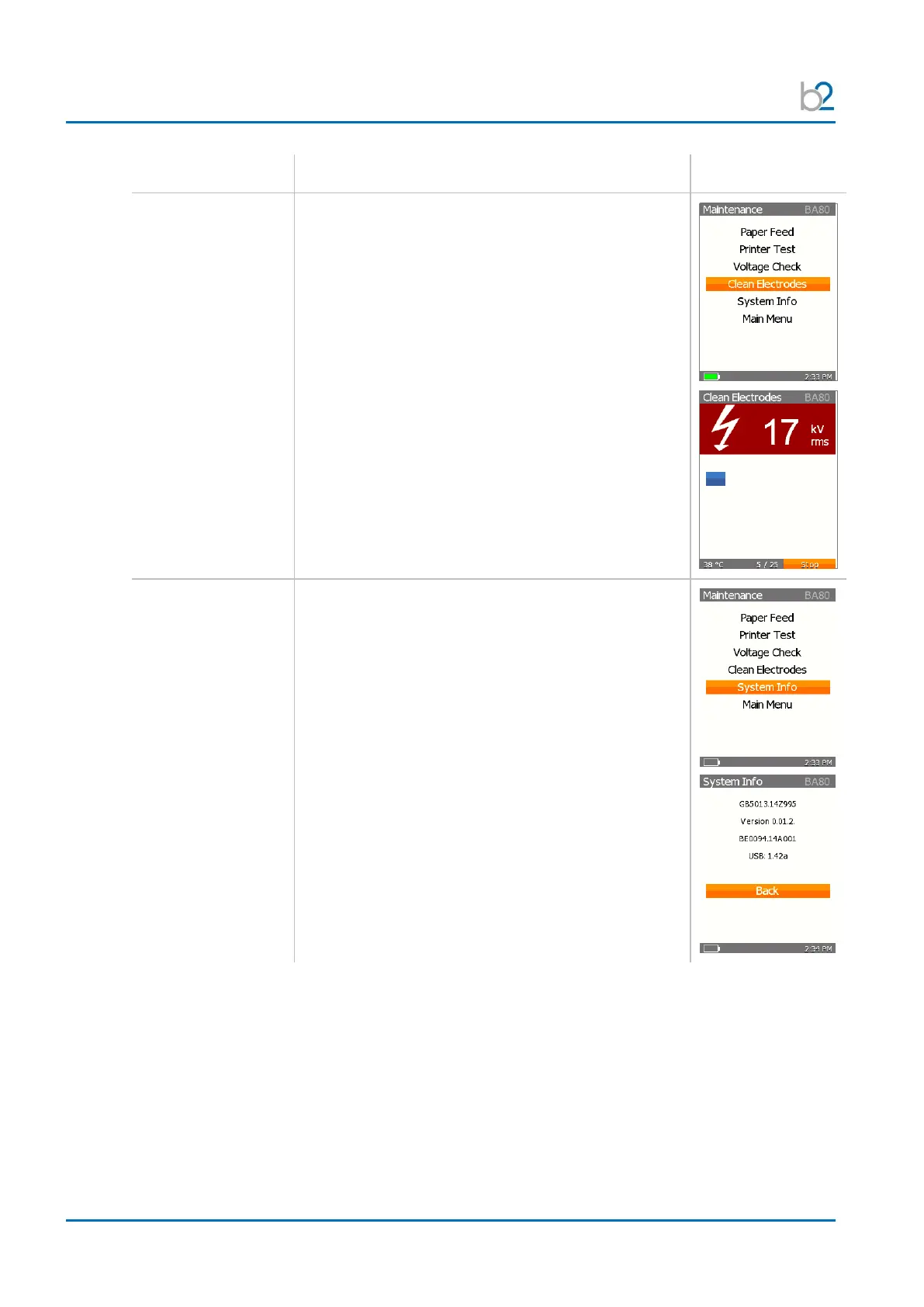
To clean the electrodes, with the cursor on the
“Clean Electrodes” option, click OK.
The BA unit will then flash 25 times.
This procedure is only to be used for new electrodes,
when they are first brought into service.
The blue bar indicates the progress state of the
“clean electrodes” step.
To see all information of the unit, with the cursor on
the “System Info” w, click OK.
All Data of the unit are listed:
• Unit Serial Number
• Firmware Version
• Hardware Serial Number
• USB Driver Version


 To Next Page