BOSS Saw User Manual V1.0
5/9/2019
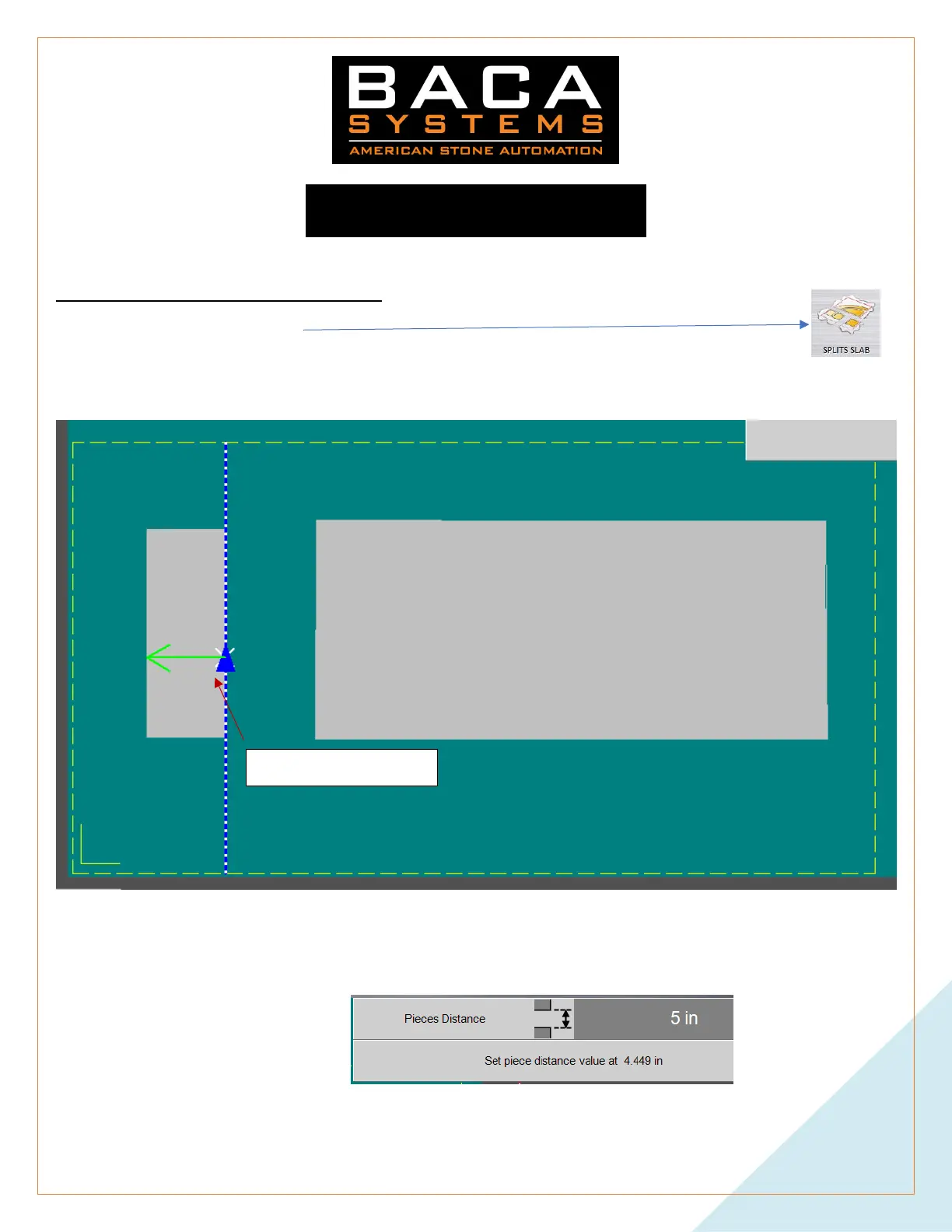
Separate Pieces
The slab MUST be defined to use this function
1. Select SEPARATE PIECES
2. Left click on the piece or area you want to move
3. It will find the nearest line segment, extend it to the edges of the slab, and show you the direction it will move
(with a green arrow)
a. If the blue or green arrows do not point in the correct direction, or if they are on the wrong side of the
piece. Click close to the side of the line you want to use. This will select that line and point to where you
clicked.
4. In the top right-hand corner will display the movement step. Be sure that the number on the top is larger than
the number below.


 To Next Page