
 Need help?
Do you have a question about the BACA SYSTEMS BOSS and is the answer not in the manual?
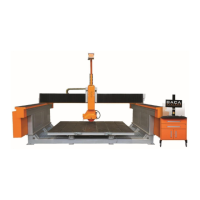
Provides a general overview and description of the BOSS Saw machine and its applications.
Essential safety instructions for operating, loading, unloading, and maintaining the equipment.
Key safety precautions for working with the BOSS Saw, including PPE and interlock adherence.
Details the saw motor's electrical specifications and safety requirements for maintenance and operation.
Procedure for accurately defining the slab edge using the HMI to minimize cutting errors.
Overview of controls for project selection, saving, deletion, and accessing menu items.
Lists the prerequisites and conditions necessary for configuring the machine's absolute home position.
Step-by-step instructions on how to perform a single cut, including limit setting options.
Guide for executing multiple cuts, specifying piece count and width for efficient cutting.
Instructions for setting up and executing cross cuts, including positioning and limit definition.
Details on square cutting when the slab is defined, including piece width, length, and angle.
Methods for adding pieces using parametric shapes or importing DXF files.
Steps to select and separate specific areas or pieces from the defined slab.
Setting up saw parameters such as disc diameter, blade thickness, feedrate, and passes.
Process for extending existing cut lines or performing cuts that go through the entire slab.
Using machining functions for entire pieces, sections, or specific profiles.
Managing ISO files, including sorting, deleting, selecting, and sending for processing.
Guidance on the necessity of antivirus software to protect the HMI PC and ensure machine reliability.
Step-by-step guide for calibrating the machine's axes to ensure accuracy.
Procedure for setting up the automated saw diameter and master blade program.
Steps for defining table origin, ensuring levelness, and calculating table height.
Adjusting tool frame compensation and troubleshooting common calibration problems.
Instructions for powering up and initiating the BOSS Saw, including system checks and password entry.
Detailed steps for safely raising and lowering the tilt table, including safety checks.
Guide to performing manual machine movements using JOG, TCP Saw, and TCP Off functionalities.
Explanation of the wireless pendant's buttons, modes, and functions for precise machine control.
Critical warning against operating the machine for production during maintenance mode.
Compilation of general cautionary statements to ensure safe operation of the BOSS Saw.
Details on the Smart Probe feature for detecting and compensating for saw blade wear.
Provides contact details for BACA Systems technical support and spare parts ordering.
List of critical spare parts, including descriptions, quantities, and part numbers.
Diagram illustrating key components and areas for preventative maintenance.
Details on lubrication positions, recommended oils, frequencies, and specific comments for maintenance.
 General
| Brand | BACA SYSTEMS |
|---|---|
| Model | BOSS |
| Category | Saw |
| Language | English |

 To Next Page