Hi Flow Sampler Maintenance
Instruction 0055-9017
51
5.3 Removing the Cover
When instructed to do maintenance inside the instrument, remove its
protective cover as follows:
1. Do the following before removing the instrument from the backpack:
- Disconnect battery pack
- Unscrew metal-cage diffuser from the instrument’s gas exhaust
port
- Disconnect ground clamp wire
2. Remove instrument from backpack.
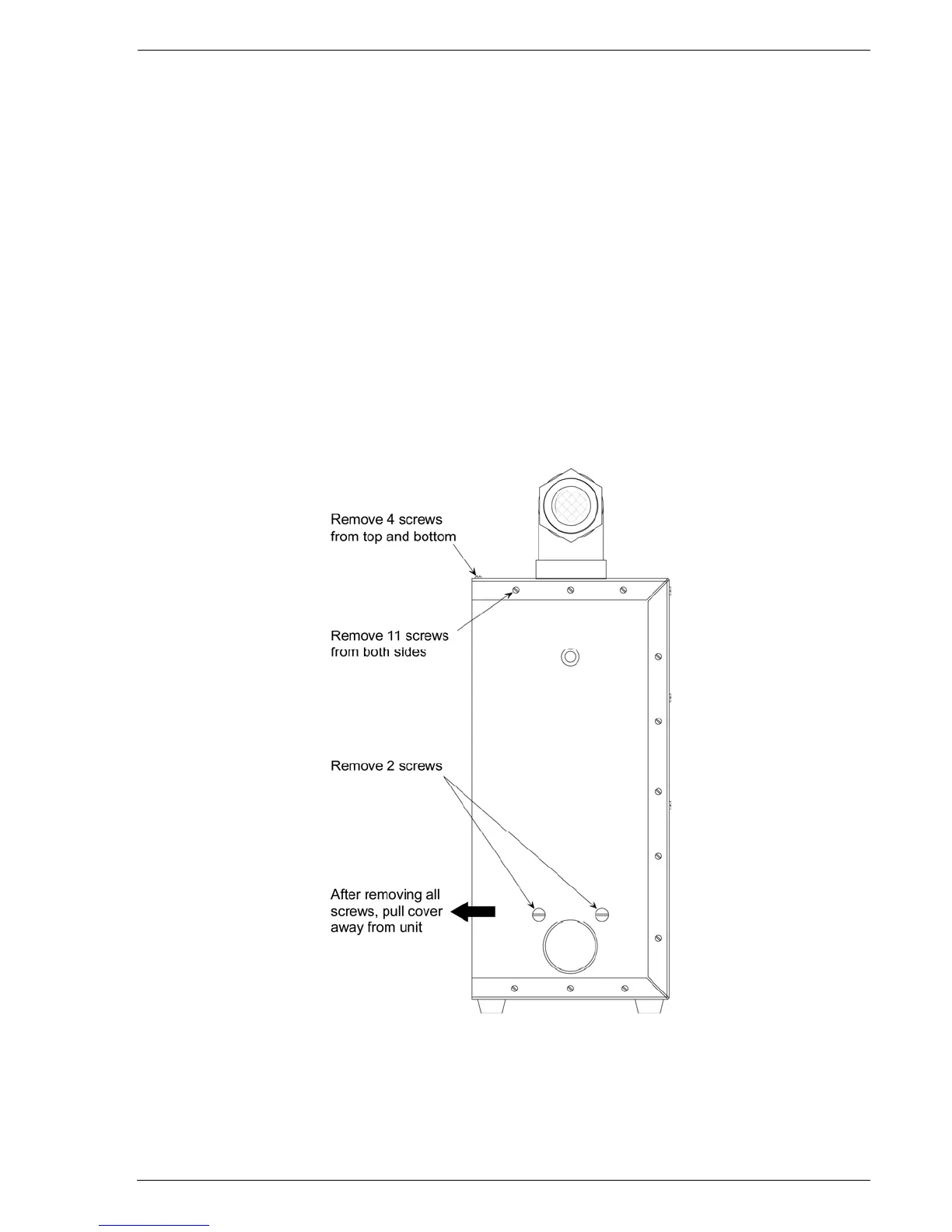
3. Remove screws from cover as shown in Figure 5-2; then pull cover
away from unit.
Figure 5-2. Removing the Cover



 To Next Page