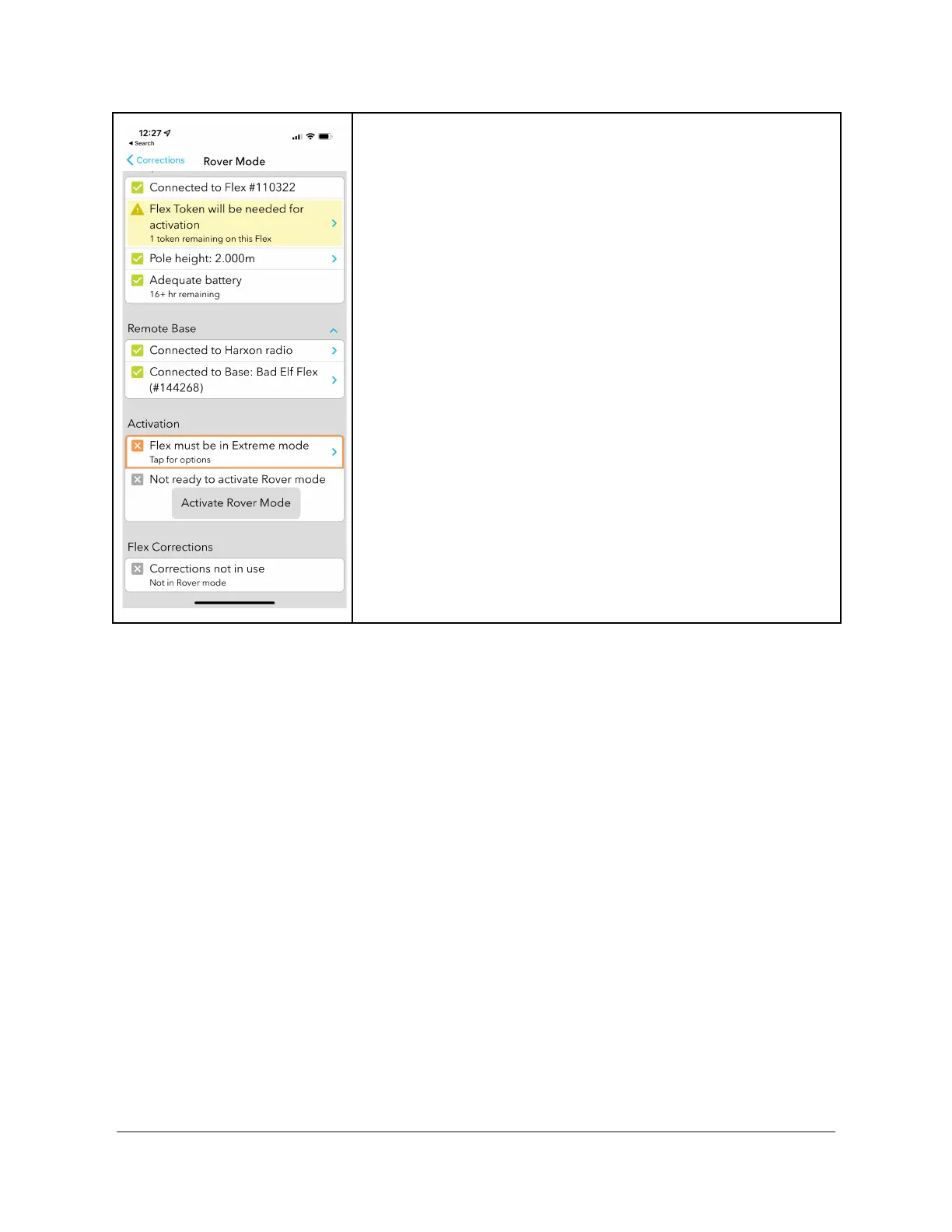
Flex mode confirmation
Once the checklist is complete and all items are verified, Flex
makes one final check for a token, only if your unit is a
Standard Flex. If you want to operate in Rover mode, you
must consume a Bad Elf Flex token to continue. Pressing on
the “>” takes you to the Flex token screen where you can
activate Extreme mode.


 To Next Page