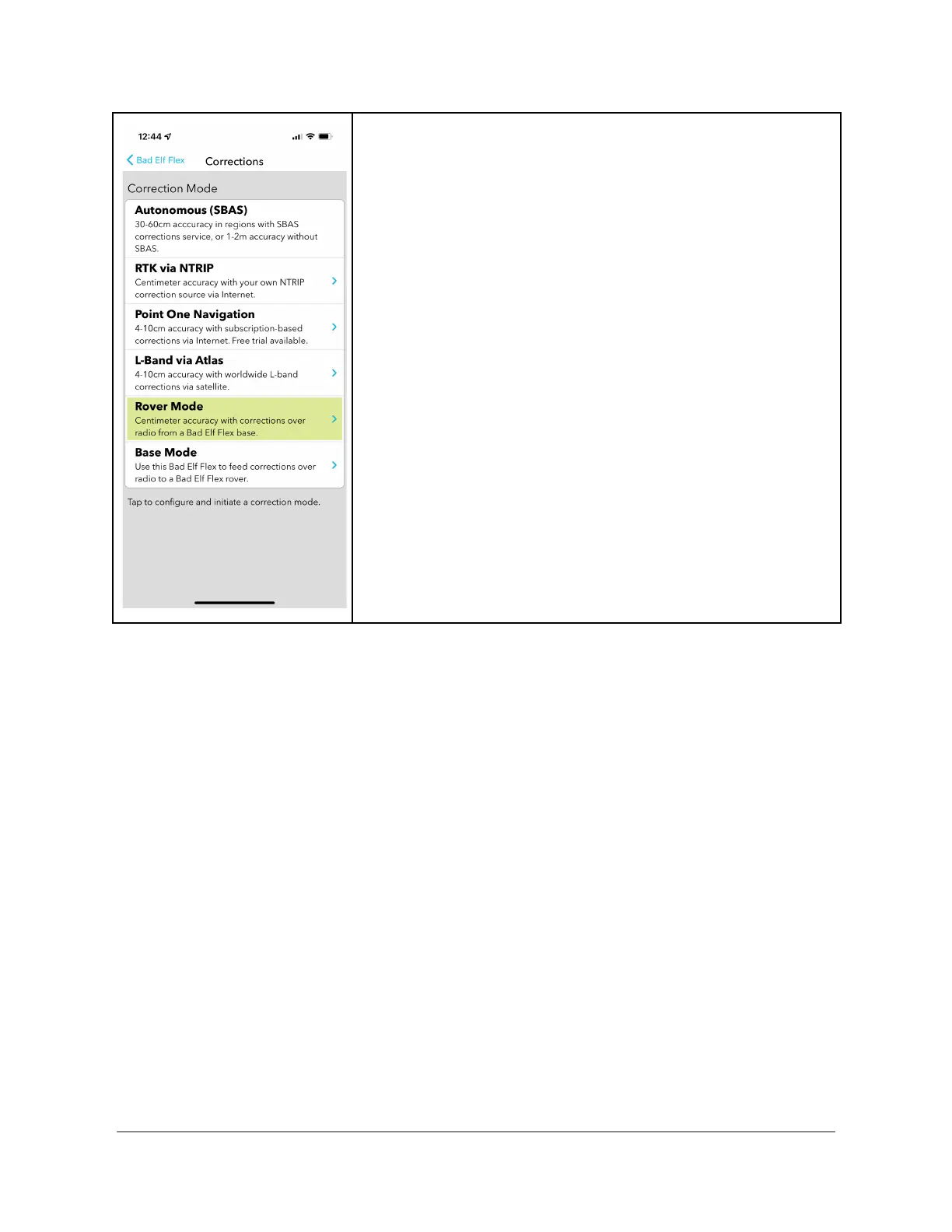
When you select Corrections Mode from the main application
menu, the highlighted item indicates the current mode. While
operating in Rover Mode, the Rover Mode item is highlighted.
Error Conditions
When using the Bad Elf Flex App, error conditions from the Base or the Rover are reported to
the app. If the error is a checklist item, that item is highlighted and may include additional
information about the problem.
Copyright © 2022. Bad Elf, LLC. 29
All Rights Reserved.


 To Next Page