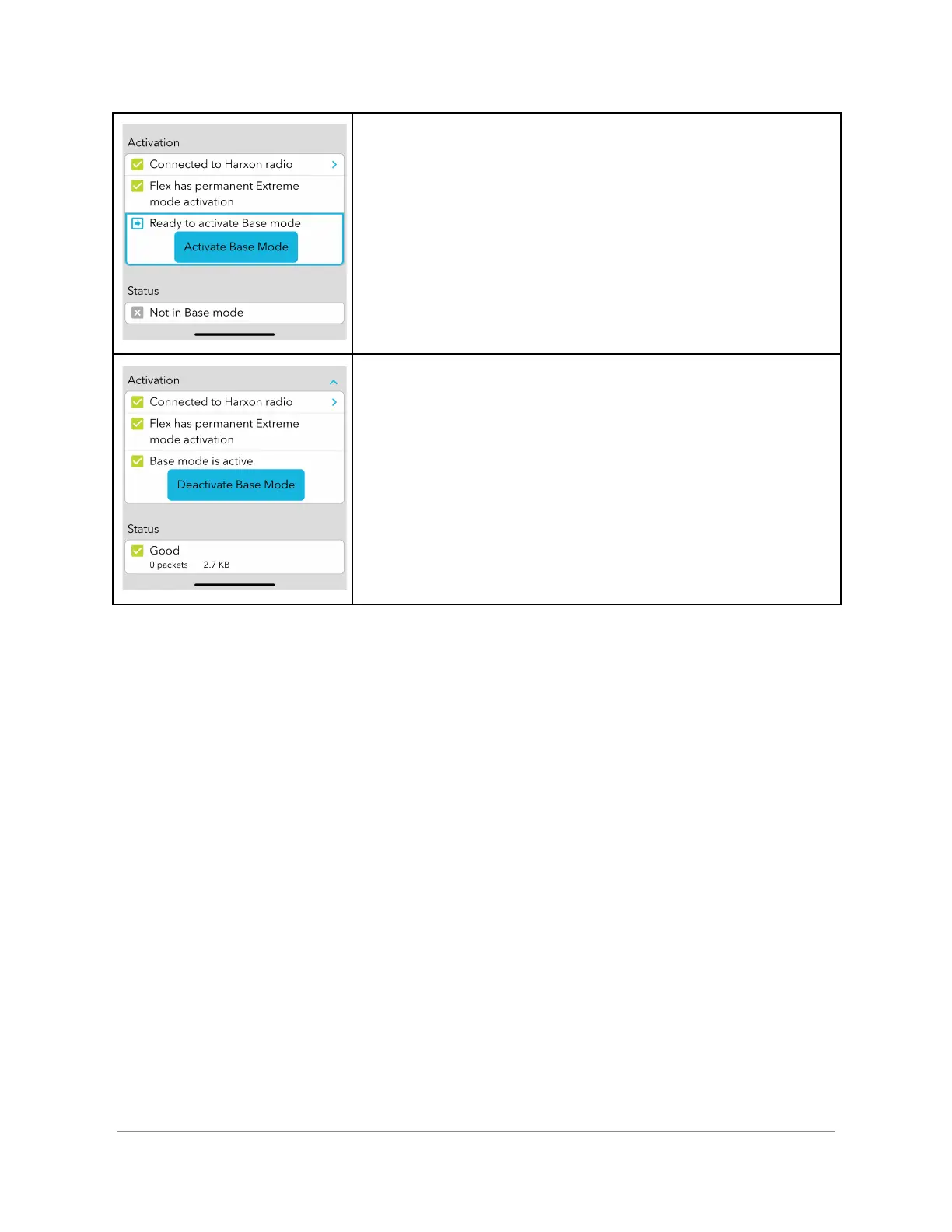
Activating Base Mode
To activate the base, click the Activate Base Mode button.
Upon successful activation the status line changes to a green
check. If an error occurs upon activation the status line
displays the error condition preventing activation.
Deactivating Base Mode
While active, the indicator at the bottom of the screen displays
the number of RTCM packets sent and the number of
kilobytes of data transmitted during this session
To deactivate the base, click the Deactivate Base Mode
button. Upon deactivation, the Flex closes the recorded
logging session and notifies connected rovers of a
deactivation event.


 To Next Page