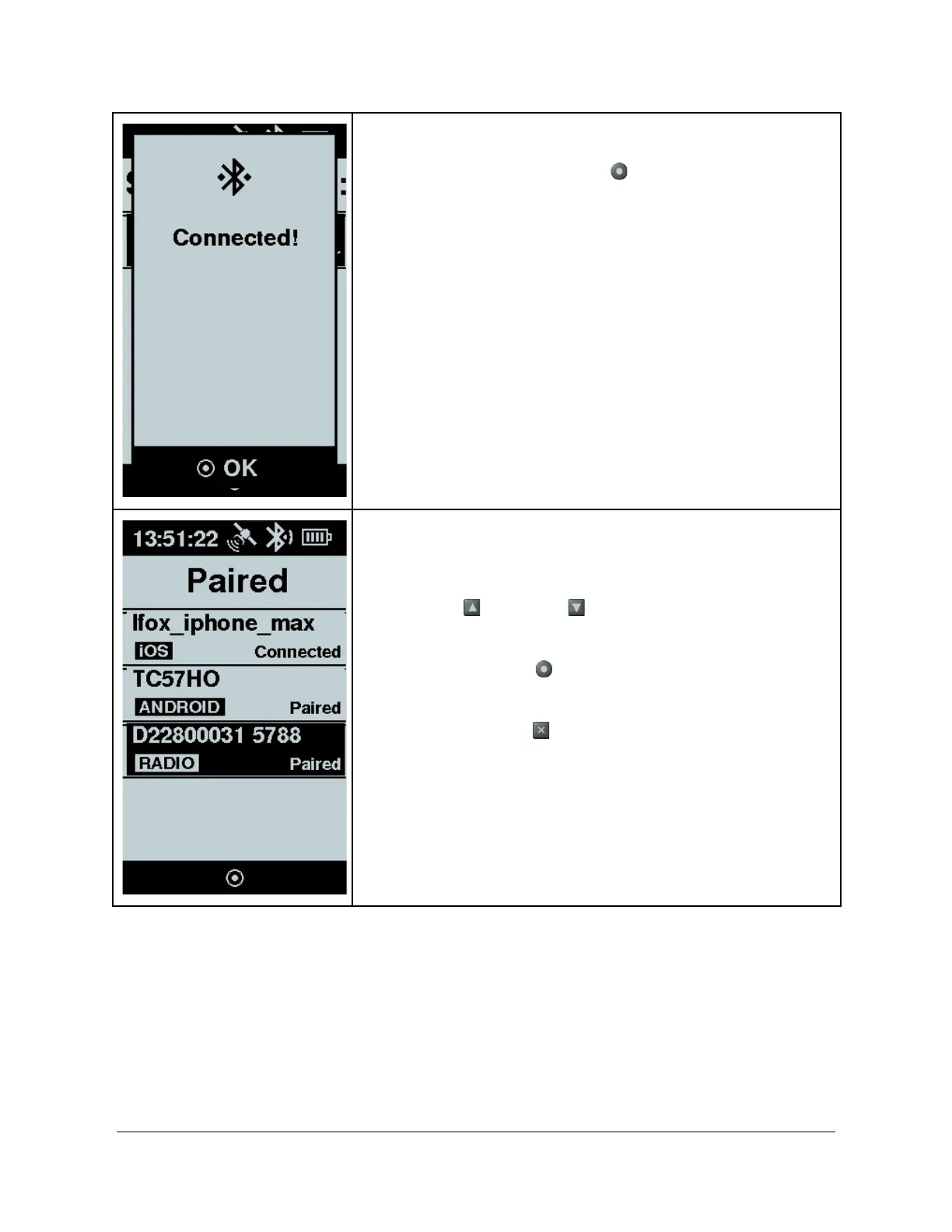
Upon successful pairing a “Connected” message is displayed.
Press OK using the enter button .
Your radio is now paired and ready for use. As long as you
continue to use this radio with the same Flex, you will not
have to repeat this process in the future.
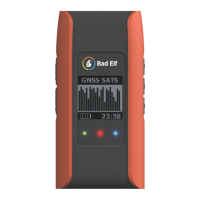
Should you want to determine which Bluetooth devices have
established a piring with your Flex, select the Paired Devices
function from the Bluetooth Configuration feature.
Press the up and down arrows to select a paired
device
Press the enter button to view an item’s status or delete a
pairing
Press the back button to cancel
Wired Connection
Copyright © 2022. Bad Elf, LLC. 9
All Rights Reserved.


 To Next Page