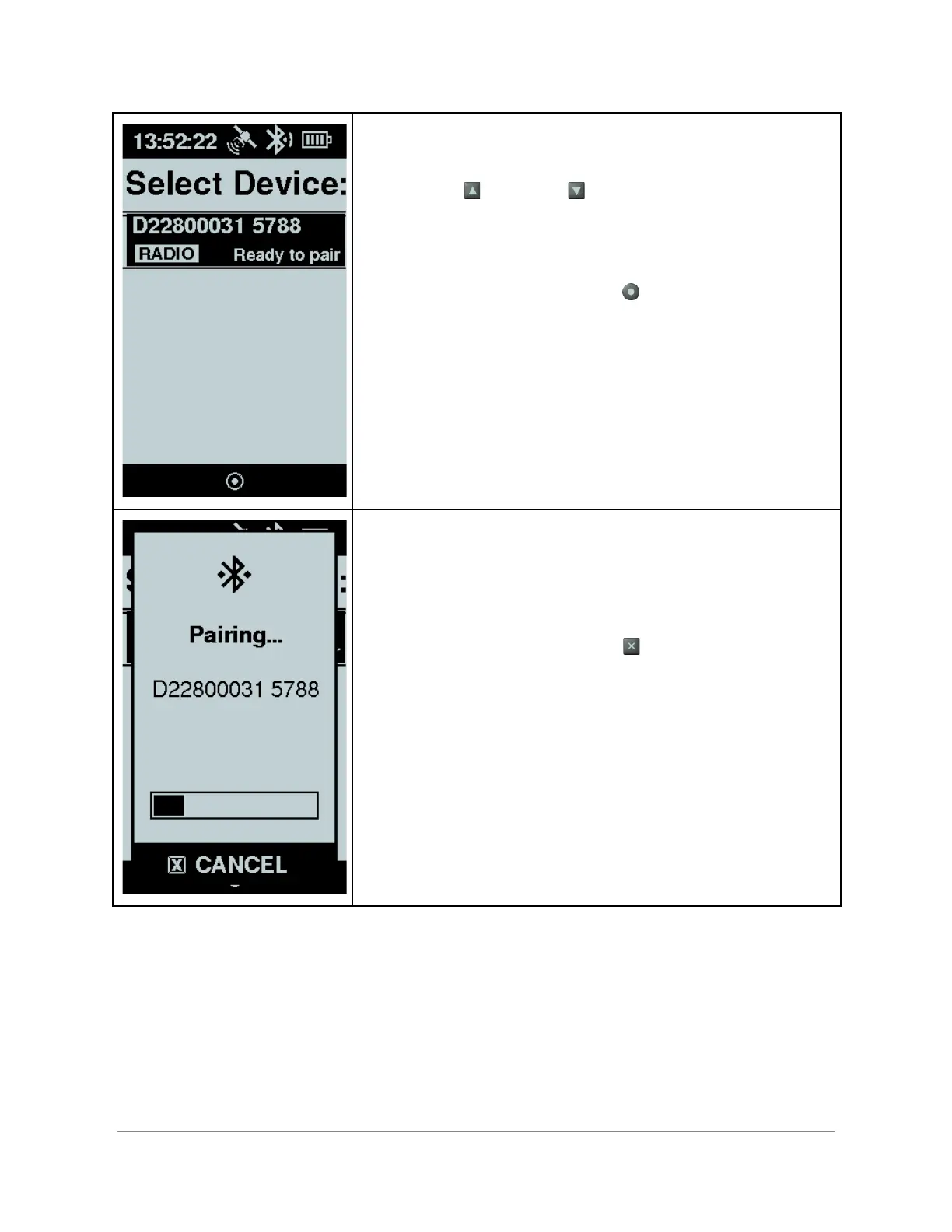
When the Bluetooth scan process is complete, you are
presented with a list of possible devices.
Using the up and down arrows, select the radio with
the serial number matches with the item in the list before
proceeding.
When you have highlighted the the radio you want to pair
with, select using the enter button .
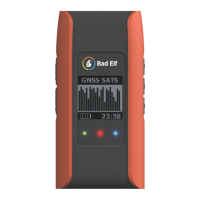
Your Flex starts the pairing process and provides a status
indicator that the pairing is in process. The radio serial
number is shown for confirmation. The pairing process
typically takes 5-10 seconds.
If the serial number shown does not match the radio you want
to pair with, press the back button to cancel.
Copyright © 2022. Bad Elf, LLC. 8
All Rights Reserved.


 To Next Page