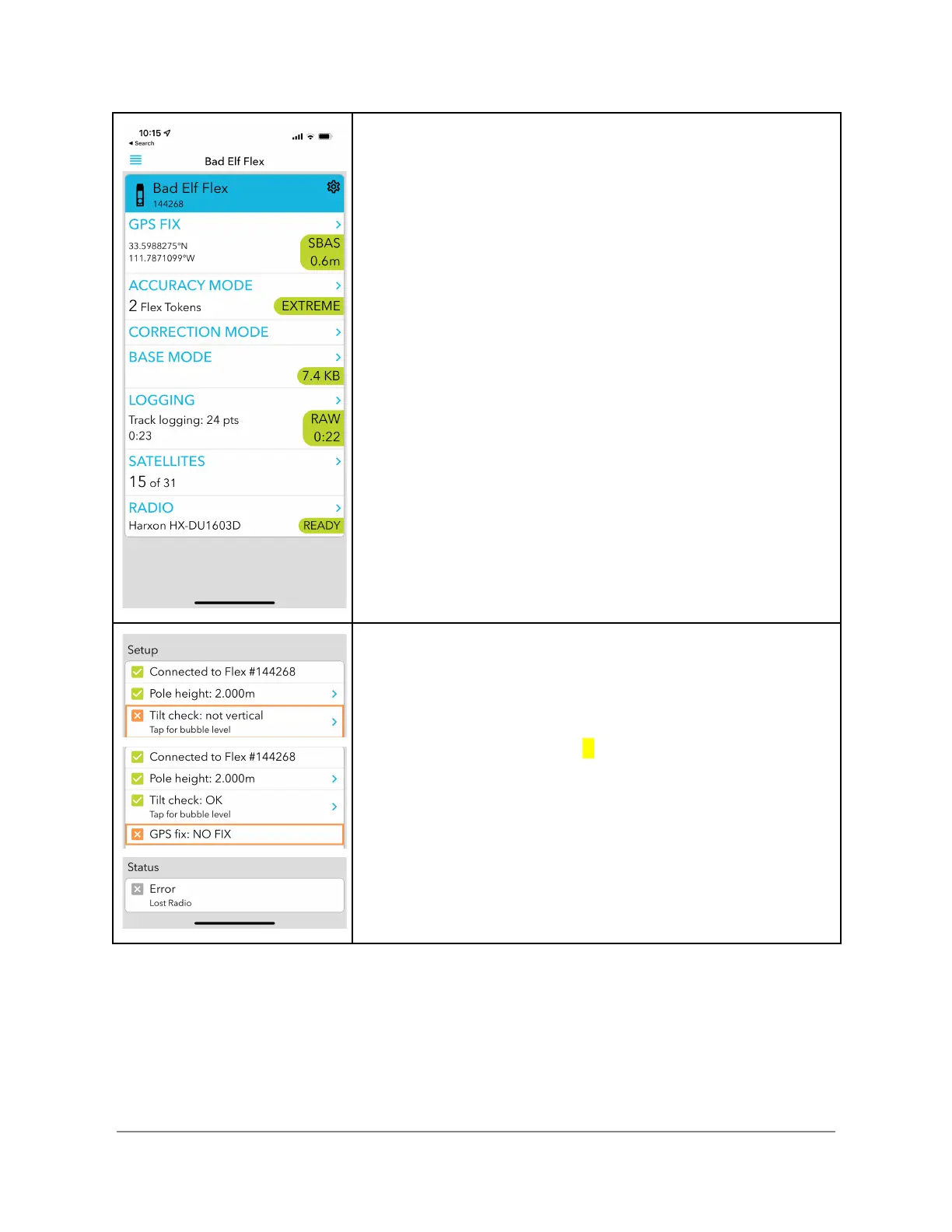
Confirming Base Mode Operation
Correction mode - press the “>” on right to confirm the mode
of operation is “Base mode”
Base Mode - press the “>” on right to view and confirm data
flowing from the Base.
Logging - press the “>” on right to view the status of the raw
recording (RINEX) file
Radio - press the “>” on right to see the status of the
connection with your radio
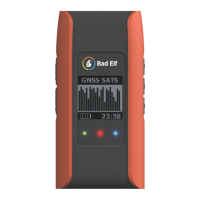
Error Conditions
Errors are either indicated in the checklist section associated
with the problem or in the status section.
Should the unit tilt more than X degrees, a tilt error is reported
Loss of GPS fix results in reporting a NO Fix error
Other status errors such as loss of radio connection appear in
the Status section.


 To Next Page