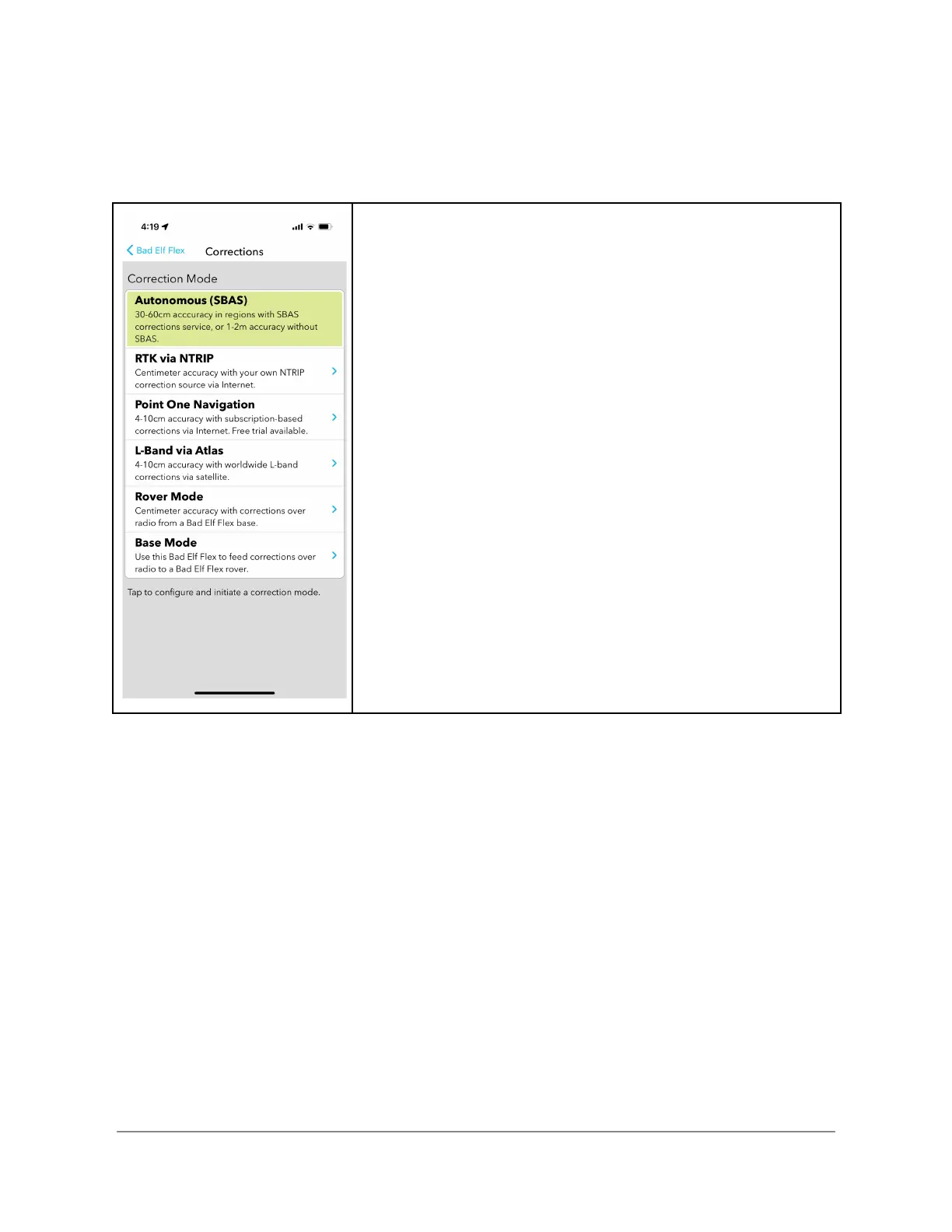
The Flex app provides a UI-rich experience to manage and activate the Base feature of
Flex.The Base mode feature is accessed under the unified corrections mode function of the Flex
app. To begin a Base session, select the Corrections function of the Flex app.
Starting the Base Mode Checklist
To enable Base mode from the Flex app, follow the steps
below:
● From the main menu tap “Correction Mode”
● Tap the “>” on the line labeled “Base Mode”
Copyright © 2022. Bad Elf, LLC. 39
All Rights Reserved.



 To Next Page