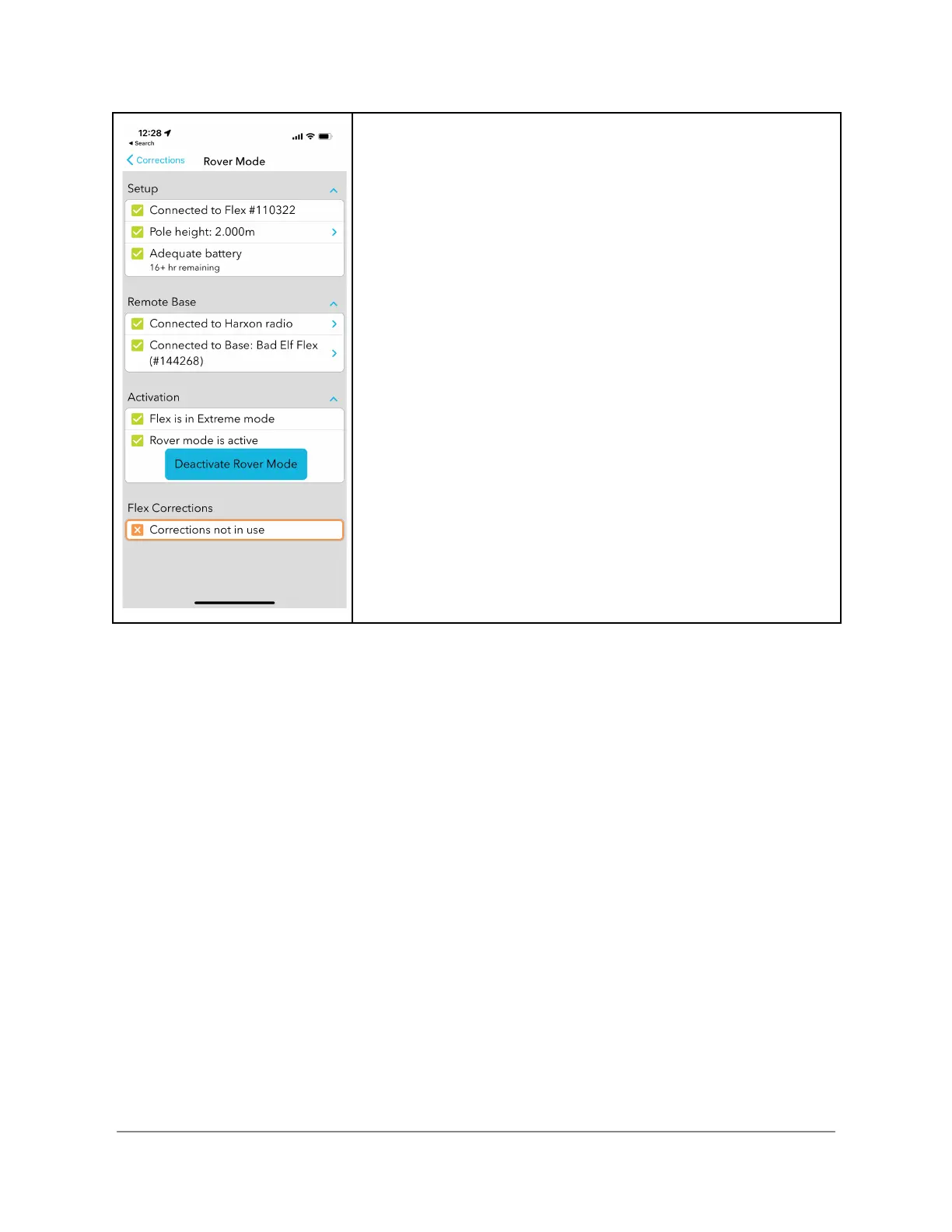
Deactivating Rover Mode
While active, the indicator at the bottom of the screen displays
the number of RTCM packets received and the number of
kilobytes of data received during this session
To deactivate the Rover, click the Deactivate RoverMode
button. Upon deactivation, the Flex reverts back to standalone
GNSS configuration. If a token was used, the remaining time
still counts down. You may at any time restart the rover as
long as the token is still valid.


 To Next Page