select the settings via the memory button. If you (accidentally) make
settings that are saved to a memory button, you will not be shown on the
4.8.1 Disconnecting
In order to disconnect the dust bag lid from the controller, please follow these steps:
1) Hold the dust bag lid by the handle and lift of from the controller. You will feel a slight
resistance from the magnetic fasteners when lifting it.
4.8.2 Disconnecting
To attach the dust bag lid to the controller please proceed as follows:
1) First, attach the dust bag lid with the mounting bolts for the magnet holder to the side
on which the handpiece outlet is not located.
2) Then attach the dust bag lid with the mounting bolts for the magnet holder to the side
on which the handpiece outlet is located. The magnets ensure that the dust bag lid is
pulled towards the housing and thus closed.
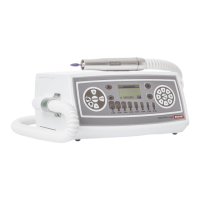
Disconnecting Fig. 14


 To Next Page