Operating Manual BaehrTec A1200 / A2000
Page 38/64 English – V100 - Date 09/2017
4.9.3 Changing the filter cartridge
You must change the turbine protection filter and all other filters if you have installed a new
dust bag and the symbol for a dust bag change still lights up. You should also change
the turbine protection filter and the other filters if you believe that the symbol for a dust bag
change has lit up too early after successfully changing the dust bag. In principle, we
recommend changing the filter cartridge regularly, and at least every four weeks.
To change the filter cartridge, please proceed as follows:
1) Turn off the device at the main switch and disconnect it from the power supply.
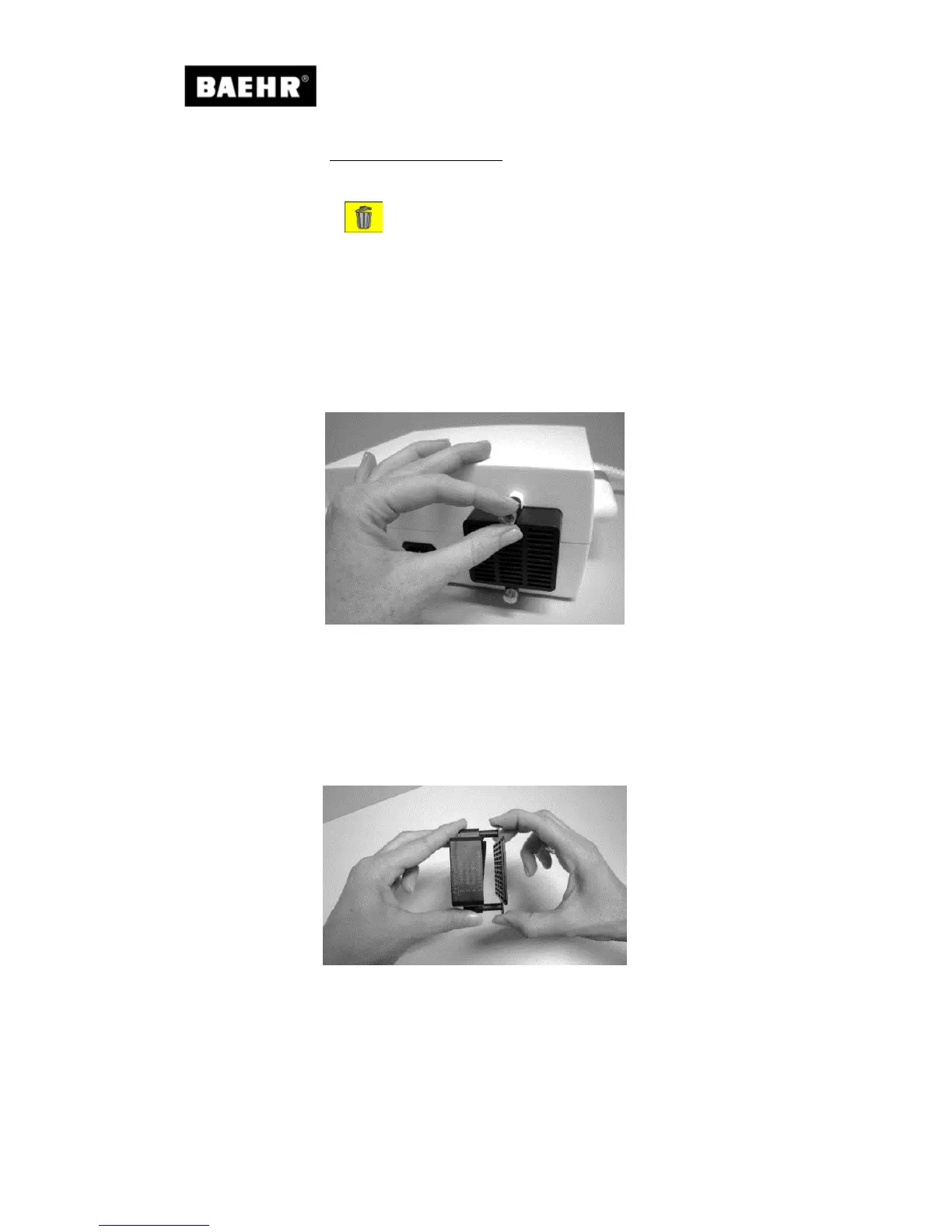
2) The filter cartridge can be released from the device by turning both knurled screws (44)
anti-clockwise until the filter cartridge easily comes away from the back of the device.
Fig. 17
3) Remove the filter cartridge (43) and clean the exhaust duct on the controller using Baehr
cloths Art. No.11000.
4) Remove the knurled screws from the filter cartridge and open it by pulling the filter
cartridge grille from the base of the filter cartridge. Pull the filter cartridge grille straight
upwards and out, so that the bolts that connect the filter cartridge grille with the base of
the filter cartridge do not break.
Fig. 18


 To Next Page