USER MANUAL – M625/M325 DRIVE SYSTEM
10
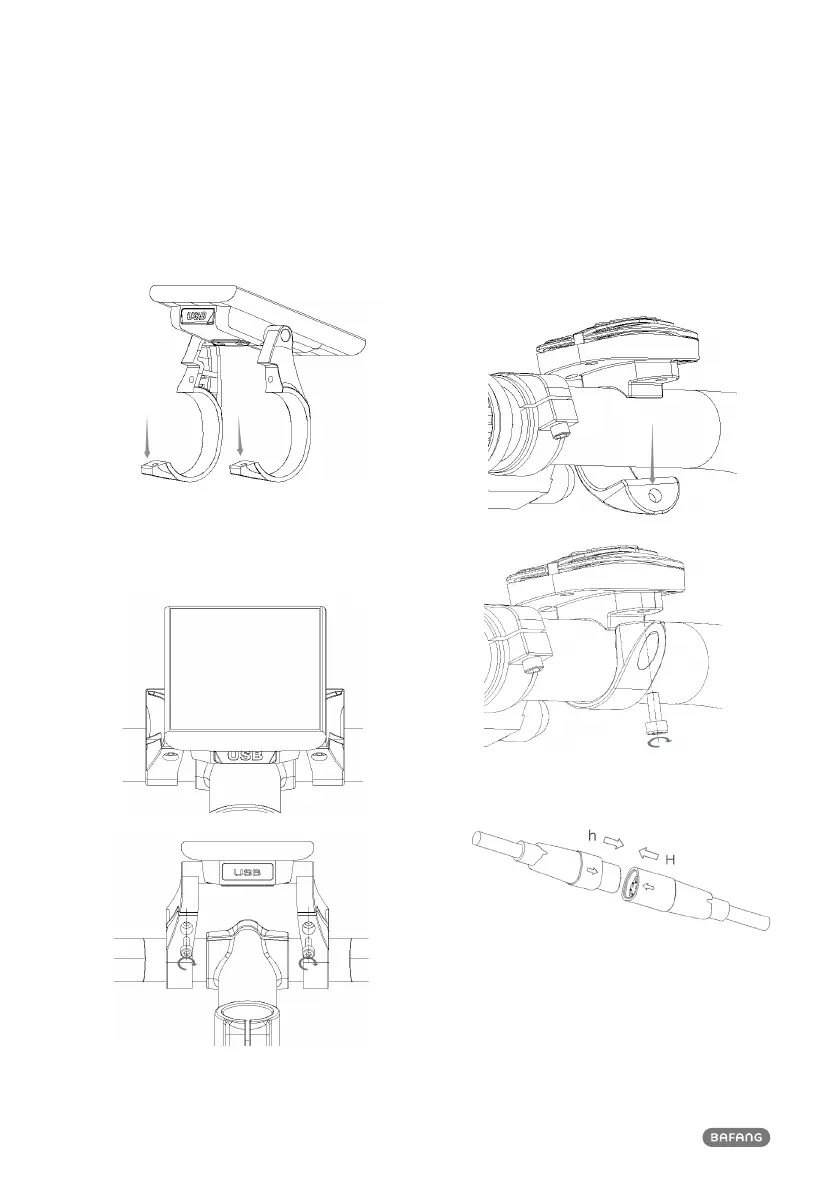
6.3 Display Installation
1. Open the clamps of display and insert the
rubber rings on the inside of the clamps.
2. Now place the display on to the handle-
bar in the correct position. Now with 2
X M3*12 screws tighten the display into
position. Torque requirement: 1N.m.
3. Open the clamp on the control panel and
place it in the correct position, Using 1 X
M3*10 screw tighten the control panel
onto the handlebar. Torque requirement:
1N.m.
4. Connect the display to the EB-BUS cable.



 To Next Page