USER MANUAL – M625/M325 DRIVE SYSTEM
21
DISPLAY
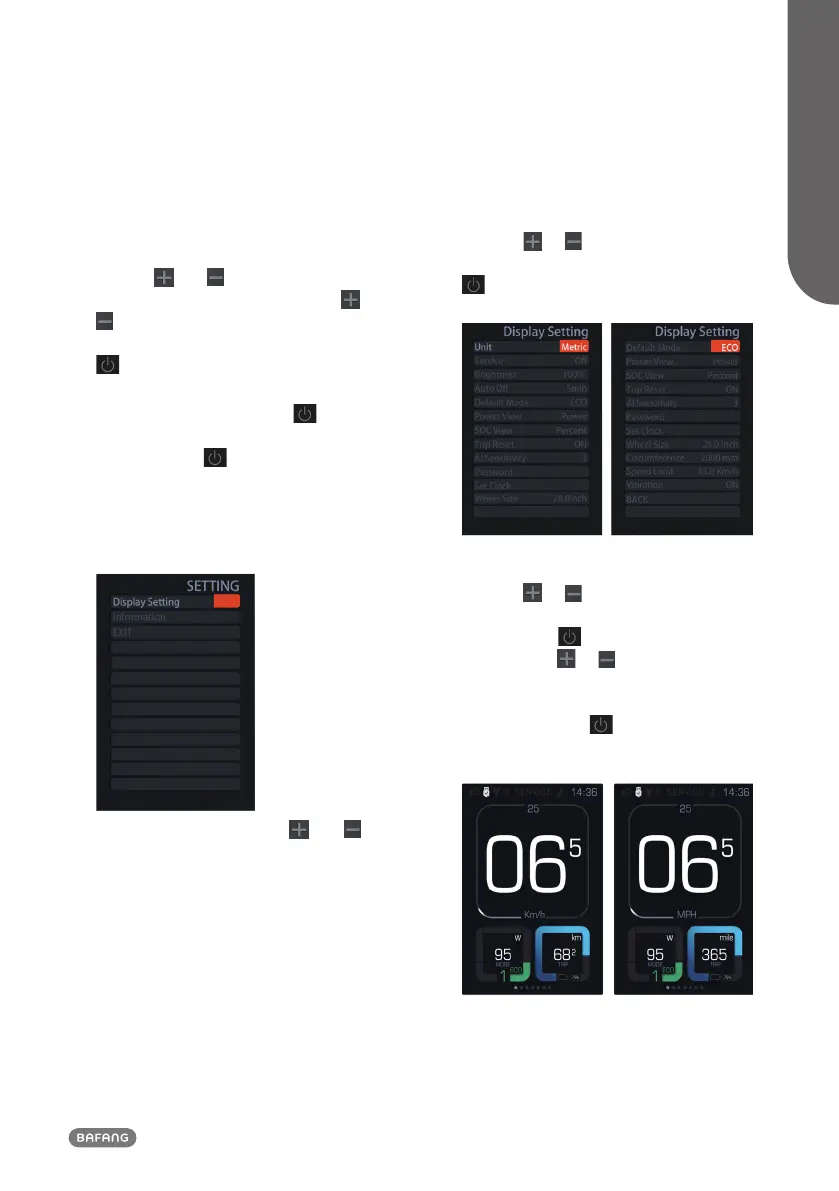
8.7 Setting
After the display is turned on, press and
hold the and (>1S) button, to access
the “SETTING” menu. By pressing the or
(<0.5S) button, you can select: Display
Setting, Information or EXIT. Then press the
(<0.5S) button to confirm your selected
option.
Or select "EXIT" and press the
(<0.5S)
button to return to the main menu, or select
"BACK" and the (<0.5S) button to return
to the Settings interface.
If no button is pressed within 20 seconds,
the display will automatically return to the
main screen and no data will be saved.
You can press and hold the and
(>1S) button at any time, to return to the
main screen.
8.7.1 “Display Setting”
Press the or (<0.5S) button to select
“Display Setting”, and then briefly press the
(<0.5S) button to access the following
selections.
8.7.1.1 “Unit” Selections in km/Miles
Press the
or (<0.5S) button to high-
light “Unit” in the display settings menu, and
then press the (<0.5S) button to select.
Then with the or button choose
between “Metric” (kilometer) or “Imperial”
(Miles). Once you have chosen your desired
selection, press the (<0.5S) button
to save and exit to the "Display Setting"
interface.


 To Next Page