Care2
Installation Instructions
Care2 issue 7 67
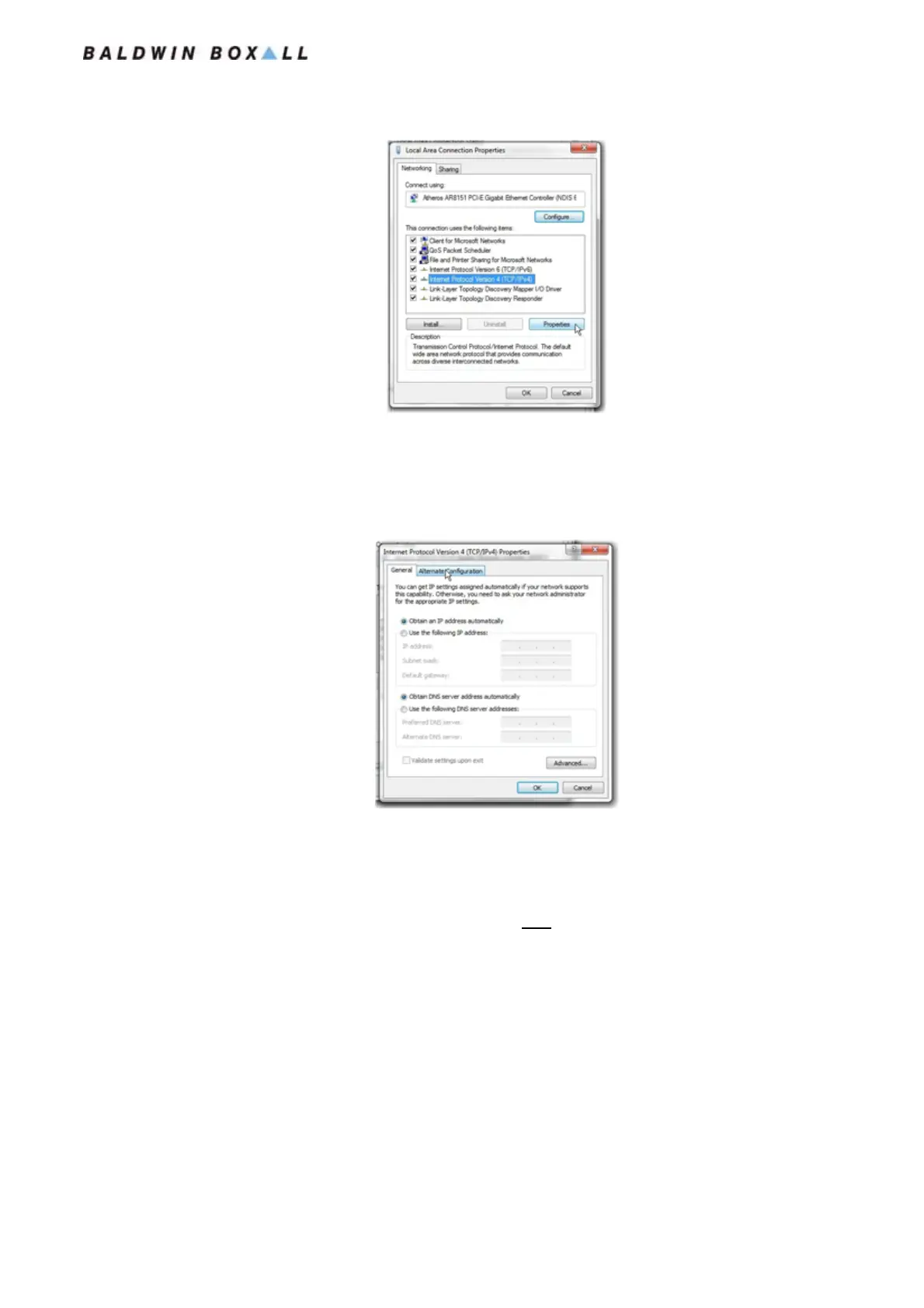
Figure 5.19 — Local Area Connection TCP/IPv4 Properties Selected
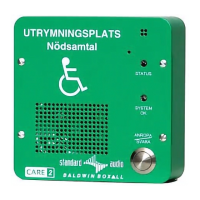
6. The Internet Protocol (TCP/IP) Properties will be
displayed, with the “General” tab showing.
Select the “Alternate Configuration” tab.
Figure 5.20 — Internet Protocol Properties, General Settings Displayed
7. In the Alternative Configuration Tab select “User configured”
and enter the following details:
IP address: 192.168.2.1
Subnet Mask:255.255.252.0 (Note this is NOT the auto setting)
Default Gateway: 192.168.2.254
Un-check the “Validate settings, if changed, upon exit” box.
www.acornfiresecurity.com
www.acornfiresecurity.com


 To Next Page