Care2
Installation Instructions
68 Care2 issue 7
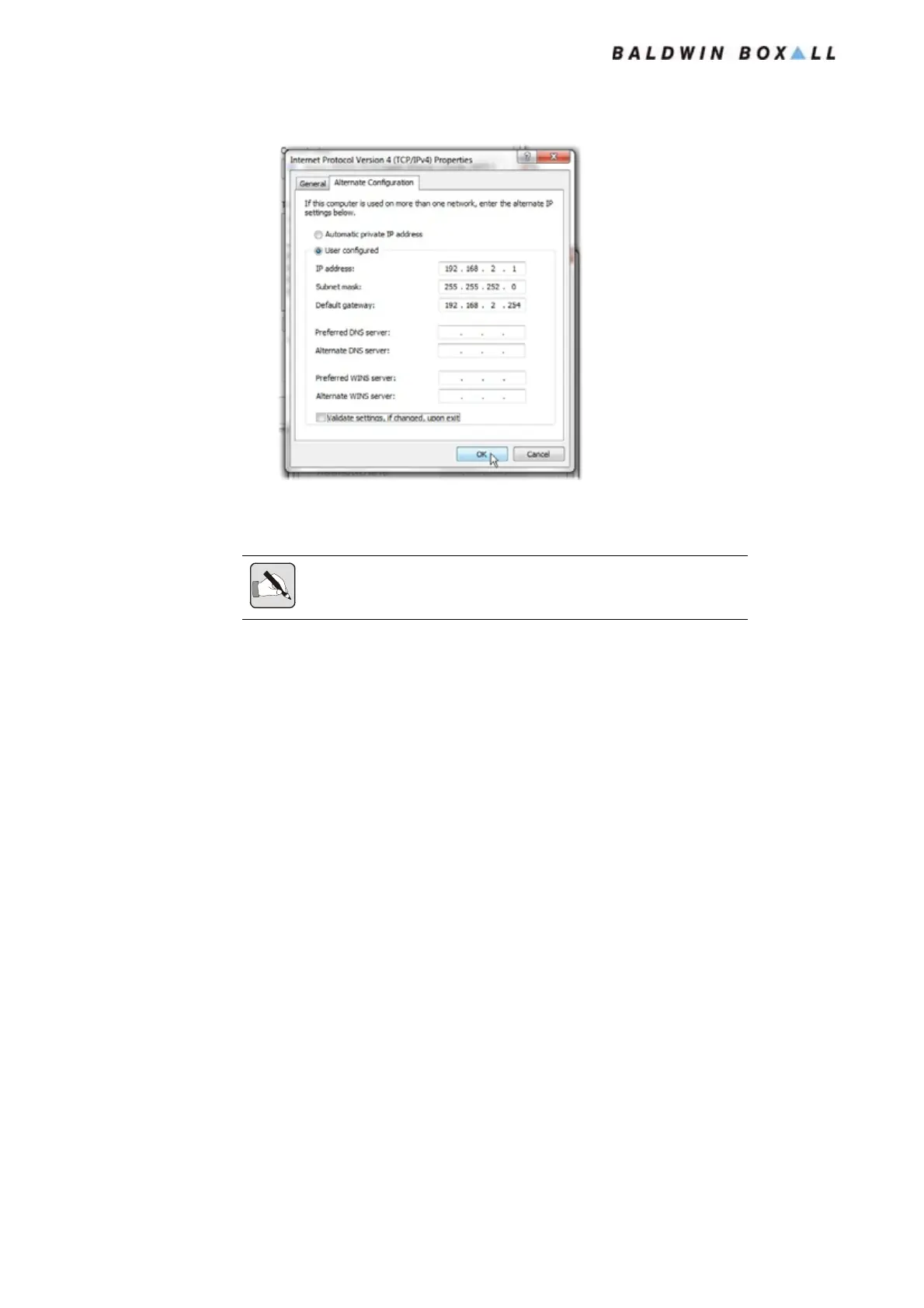
Figure 5.21 — User Configured Alternate Configuration
8. Select OK and the Properties box will close.
Close the Local Area Connection Dialog box.
Note: The Windows Network Diagnostics window may appear, simply
press "Close the troubleshooter" as the network settings cannot be checked.
www.acornfiresecurity.com
www.acornfiresecurity.com


 To Next Page