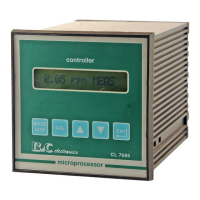
B&C Electronics CL 7685
Operator’s Manual - Rev. C - 05/05
- 23 –
3. [CAL] to access the zero calibration routine
_
|CAL ZERO: 0.5 |
0.5: Current value from sensor
4. choose one of the following actions:
[MODE] to stop the procedure and to go back to D1
[ENT] to confirm the selected zero of the cell
[/\]+[\/]+[ENT] press the three keys to turn to factory calibration
MESSAGE
FUNCTION
_
| UPDATE | the calibration is accepted
Error message
_
|Z > 2µA
| Zero > 2µA
The above messages will last for 5 minutes
[ENT] to acknowledge the error messages
_
| NO UPDATE | calibration not accepted
Sensitivity calibration
_
|SENS: 100.0 % | Sensitivity visualization
[MODE] to go back to D1
[ENT] - to confirm the displayed value
- to go back to D1
1. [CAL] to access the sensitivity calibration routine
The Sensitivity calibration is suggested when the readout is very low compared with the DPD test.
This adjustment must be effected when installing the flow cell and Chlorine or D.Ozone sensor after
the stabilization of the readout.
The instrument features two calibration mode: Immediate and Postponed


 To Next Page
 Loading...