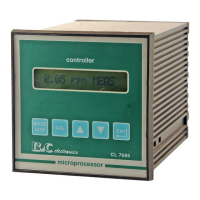
B&C Electronics CL 7685
Operator’s Manual - Rev. C - 05/05
- 27 –
6.4 SET-POINT A/B CALIBRATION
The following procedure are suitable for both set-point A and B.
For each set-point it is possible:
- to insert the set-point value
- to insert parameters of On/Off - PFM - PWM function
1. [MODE] to go to
_
D3 |SA: 0.60 * F à L | Set-point A display
or
_
D4 |SB: 0.80 * O ì H| Set-point B display
2. [CAL] to access the programming sequences
Set-point adjustment
_
|CAL SA S: 0.60 |
S 0.60: actual set-point value
[MODE] to stop the procedure and to go back to D3/D4
3. [/\] [\/] to insert the set-point value
4. [ENT] - to confirm the value
- to go to one of the following calibration:
A. On/Off function calibration
B. PFM function calibration
C. PWM function calibration
Note: to modify only set-point value, press [ENT] twice until "UPDATE" message
On/Off function
The instrument will show the following display:
_
|CAL SA I: 20 | Hysteresis calibration
I 20: actual hysteresis value


 To Next Page
 Loading...