77R5900103 /00 C-10, C-5
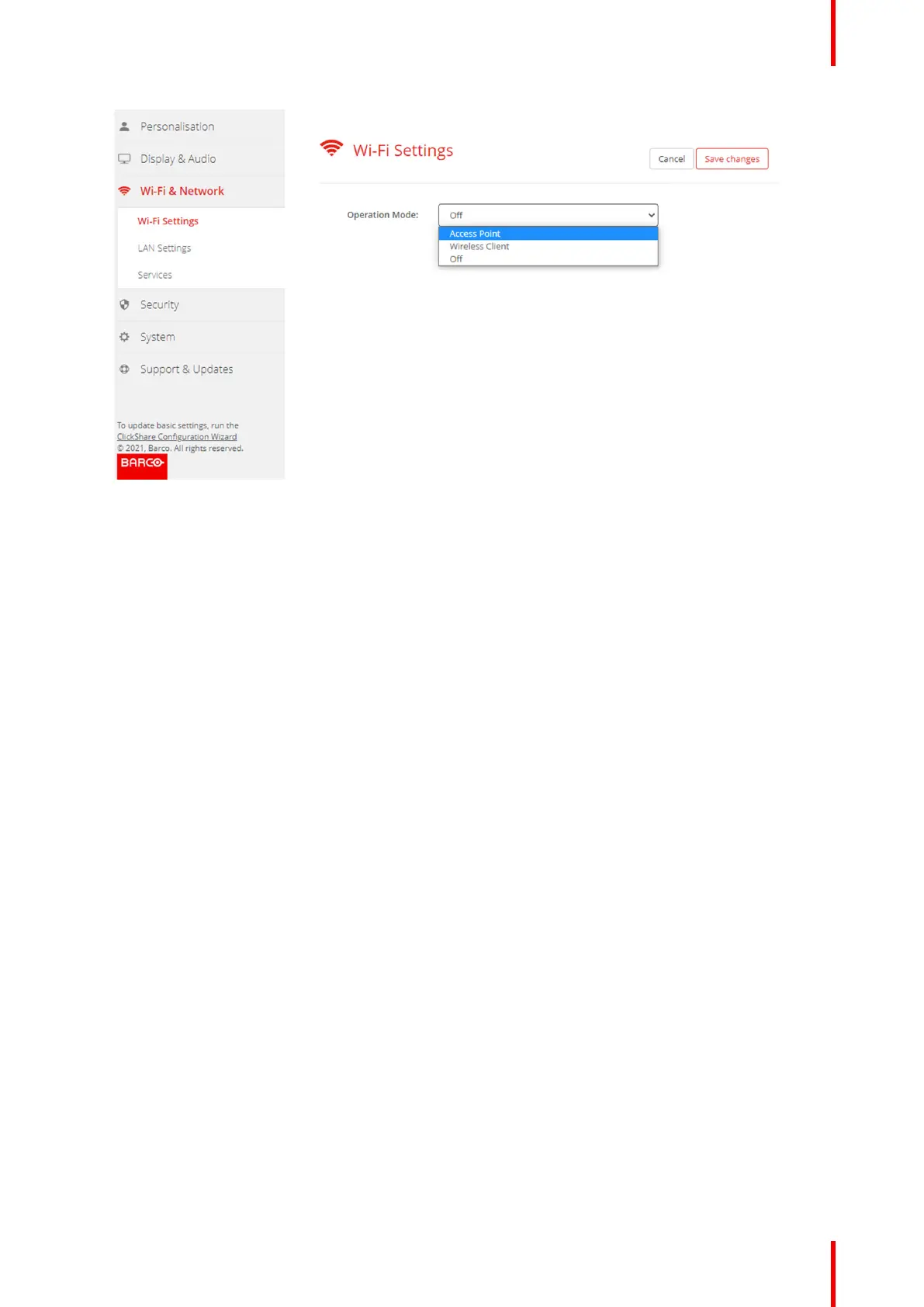
Image 6–16 Wi-Fi settings
3. Select the operational mode by clicking on the drop down and selecting the desired option.
The following options are possible.
• Access point
• Wireless client
• Off
4. To change the Access Point settings, select Access Point.
For more detailed information, see “Wi-Fi settings, Access Point settings”, page 77
5. To change the Wireless Client Settings, select Wireless Client.
For more detailed information, see “Wi-Fi settings, Wireless Client”, page 79.
6.10 Wi-Fi settings, Access Point settings
How to change
1. Check the check box next to Enable.
Checked: access point settings are enabled. All current settings can be changed.
Unchecked: access point settings are disabled.
2. If desired, enter a new Wi-Fi passphrase and confirm this Wi-Fi passphrase.
C-10, C-5 Configurator



 To Next Page