R5900103 /00 C-10, C-580
For Wireless Conferencing, a direct connection between the Button and the Base Unit is advised.
How to activate Wireless Client
1. Log in to the Configurator.
2. Click Wi-Fi & Network → Wi-Fi Settings.
3. Click Edit settings.
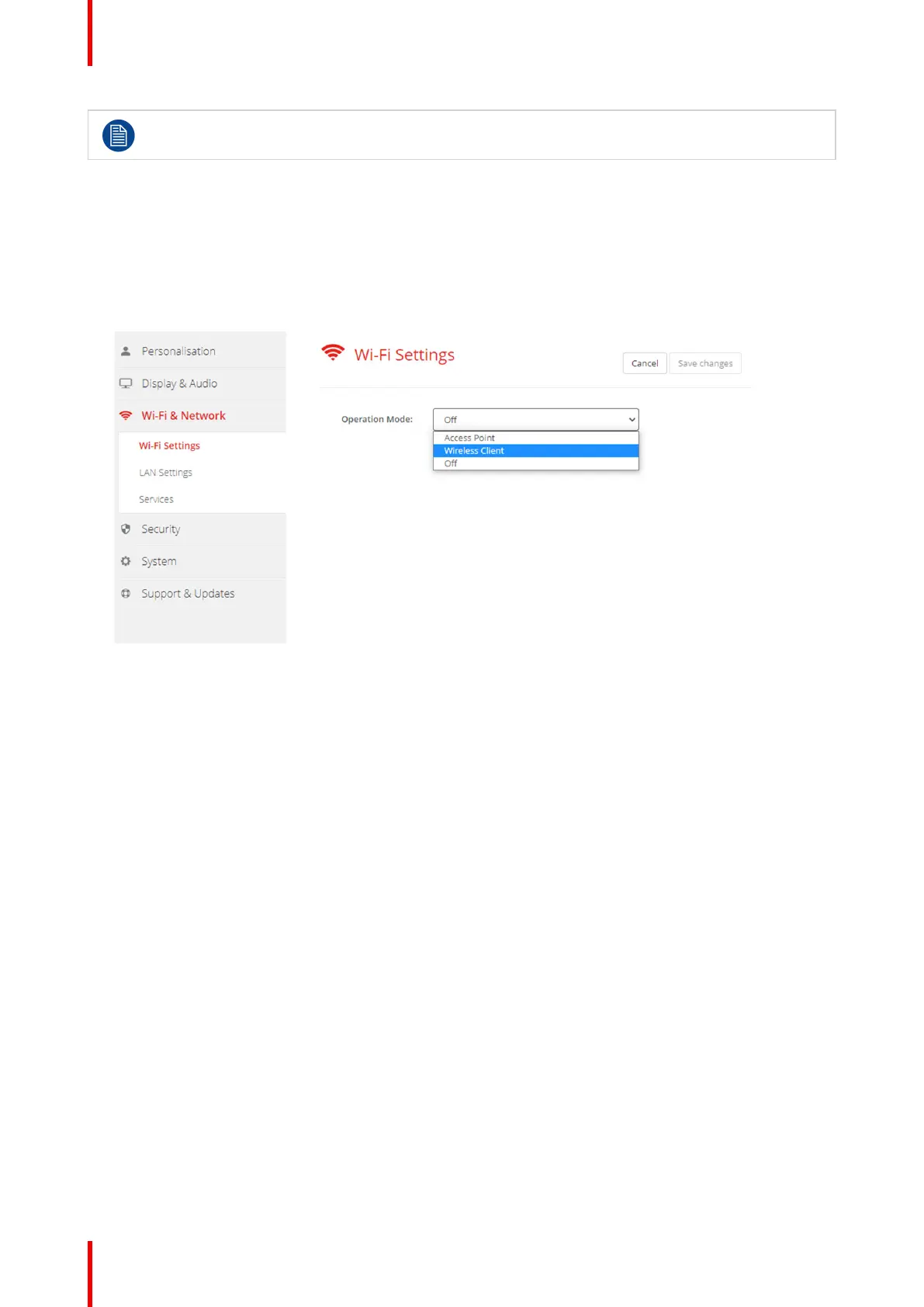
4. Click on the drop down box next to Operational Mode and select Wireless Client.
Image 6–19 Wi-Fi settings, Wireless Client
6.12 Wi-Fi settings, Wireless Client, EAP-TLS
About EAP-TLS
EAP-TLS (Transport Layer Security) is an EAP method based on certificates which allows mutual
authentication between client and server. It requires a PKI (Public Key Infrastructure) to distribute server and
client certificates. For some organizations this might be too big of a hurdle, for those cases EAP-TTLS and
PEAP provide good alternatives. Even though a X.509 client certificate is not strictly required by the standard
it is mandatory in most implementations including for ClickShare. When implemented using client certificates,
EAP-TLS is considered one of the most secure EAP methods. The only minor disadvantage, compared to
PEAP and EAP-TTLS, is that the user identity is transmitted in the clear before the actual TLS handshake is
performed. EAP-TLS is supported via SCEP or manual certificate upload.
How to start up for EAP-TLS
1. Select EAP-TLS from the drop down list next to Authentication Mode.
C-10, C-5 Configurator



 To Next Page