3. Driver and software installation
3.2 In stallation procedure
Installation procedure
1. Start your system.
If you have a fresh OS installation, or you have uninstalled an existing driver, the OS may automatically
install an inbox driver from the Windows driver store, either an AMD driver or a standard VGA driver ,
for the Barco Display Controller(s). If this occurs, the OS prompts you to restart your computer, click
Yes to allow the automatic driver installation to complete and reboot the system.
2. Launch the Barco Product Installation Wizard. The installation Wizard should start automatically when
you insert the Barco Display System Installation DVD into your computer’s DVD drive. If the installation
does not start, in the "auto play" window, click Run setup.exe.
3. The first page of the installation wizard is the license agreement. You must accept the license agree-
ment in order to proceed.
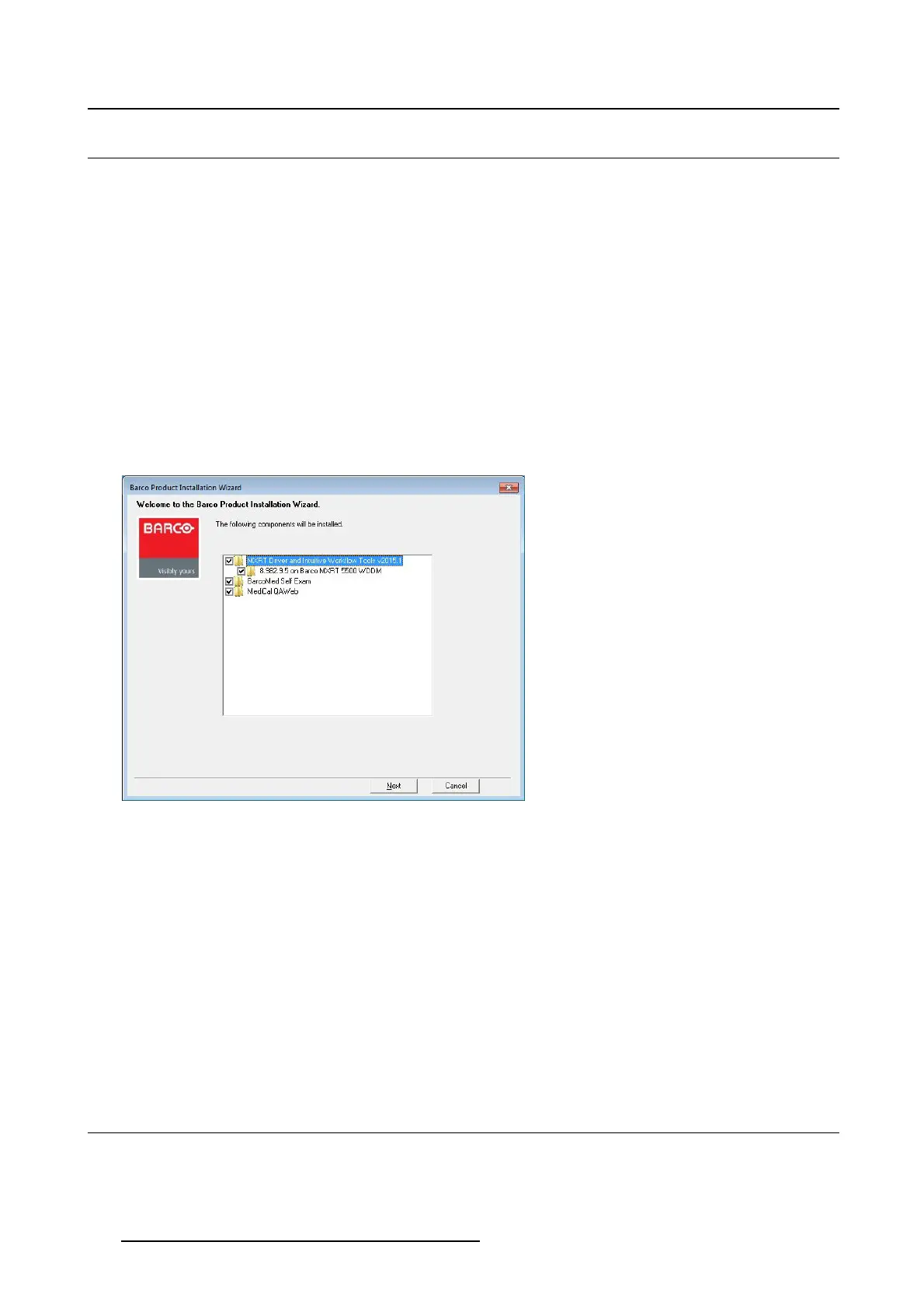
4. The second page of the installation wizard will show you the display controller driver and software com-
ponents that will be installed. To accept the installation of default software components, click Next.To
custom select software components, click on specific software components to unselect them.
Image 3-1
Barco Prod u ct I n st a llation W izard
- MXRT Driver and Intuitive Workflow Tools: Barco MXRT Display Controller drivers and accom-
panying software for supporting Intuitive Workflow tools
- BarcoMed Self Exam: Barco diagnostic tool
- MediCal QAWeb Agent: Barco calibration software
5. If a previous installation of an MXRT driver ex
ists, the installation wizard will detect it and guide you
through the uninstallation process if necessary.
6. During installation, the desktop may flash, and the Installation Wizard window may appear on different
displays. This is expected behavior.
7. When the installation of all components has completed, the system must reboot to complete the
changes, and an automatic reboot win
dow will be displayed.
3.3 Silent i nst allation
Installation procedure
Navigate to the Barco installation folder and execute the command setup.exe -silent.
14
K5905271 DISPLAY CONTROLLER 27/02/2017



 To Next Page