5. Driver and software features
5.11 Sm artCursor
5.11.1 Description
Overview
The Barco SmartCursor feature prevents the cursor from becoming stuck on edges of adjacent displays
of different sizes.
Image 5-12
Supported display controllers
SmartCursor is supported by all systems with an MXRT-x400 or later display controller.
5.11.2 Operation
Using SmartCursor
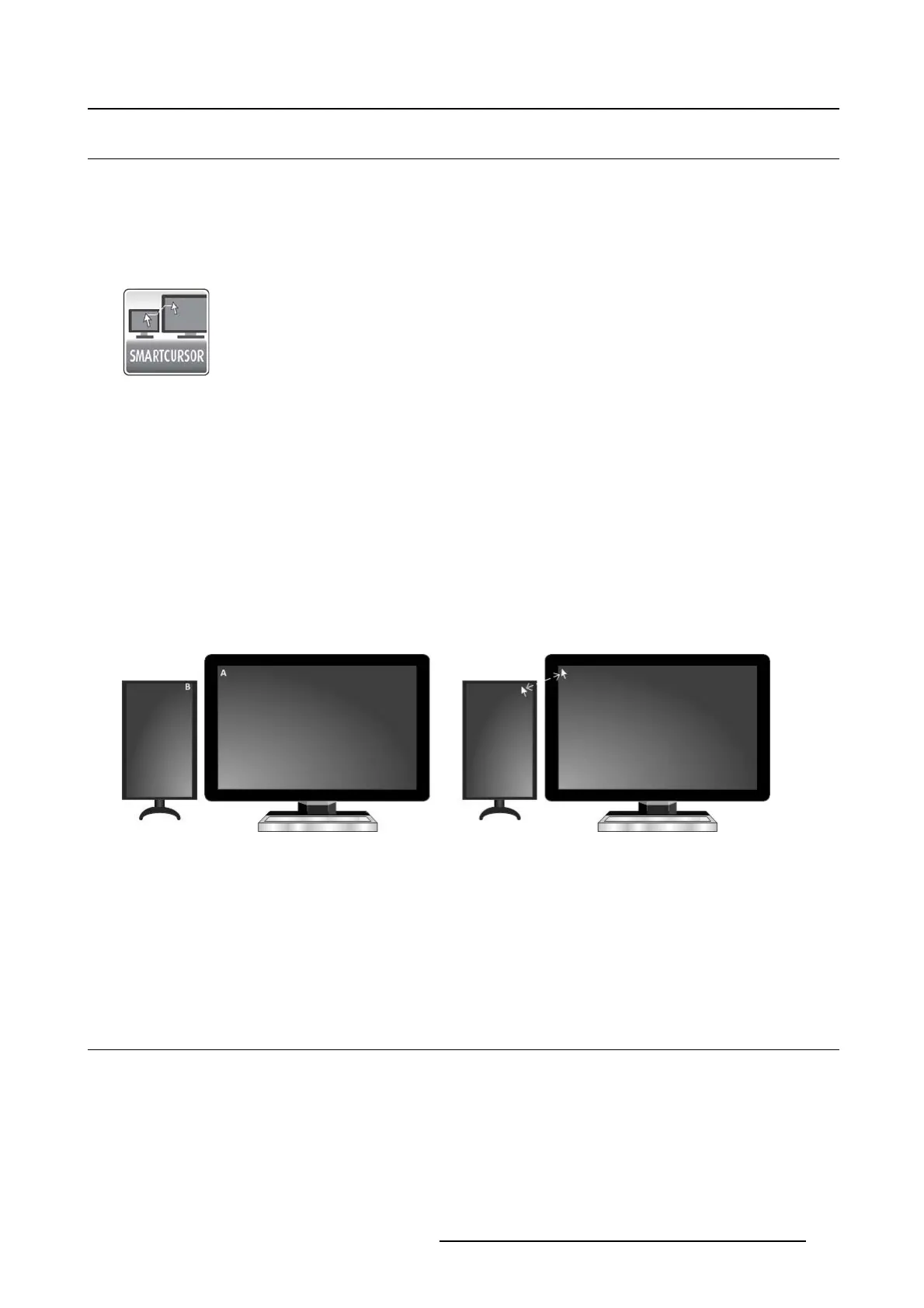
The SmartCursor operation in illustrated in image 5-13.
Consider two points, A and B, on two displays of different sizes. Without SmartCursor, the cursor cannot
move left from point A because it will be stuck on that edge. With SmartCursor, moving the cursor left from
point A will move the cursor to point B. For symmetry, with SmartCursor moving to the right from point B,
the cursor will appear back at point A.
Image 5-13
SmartCursor moving left from point A and right from point B.
5.11.3 Configuration
Configuring SmartCursor
Enable: Click on this checkbox to turn SmartCursor on or off.
5.12 SoftGlow
5.12.1 Description
Overview
The Barco Coronis Uniti display supports SoftGlow. It consists of a task light, which sheds a light on the
desktop, and a wall light, which provides ambient lighting for the reading room to reduce eye fatigue. The
brightness of each is configurable
.
K5905271 DISPLAY CONTROLLER 27/02/2017
31



 To Next Page