5. Driver and software features
5. DRIVER AND SOFTWARE FEATURES
5.1 Barco System Settings Co ntrol Panel
5.1.1 Description
Overview
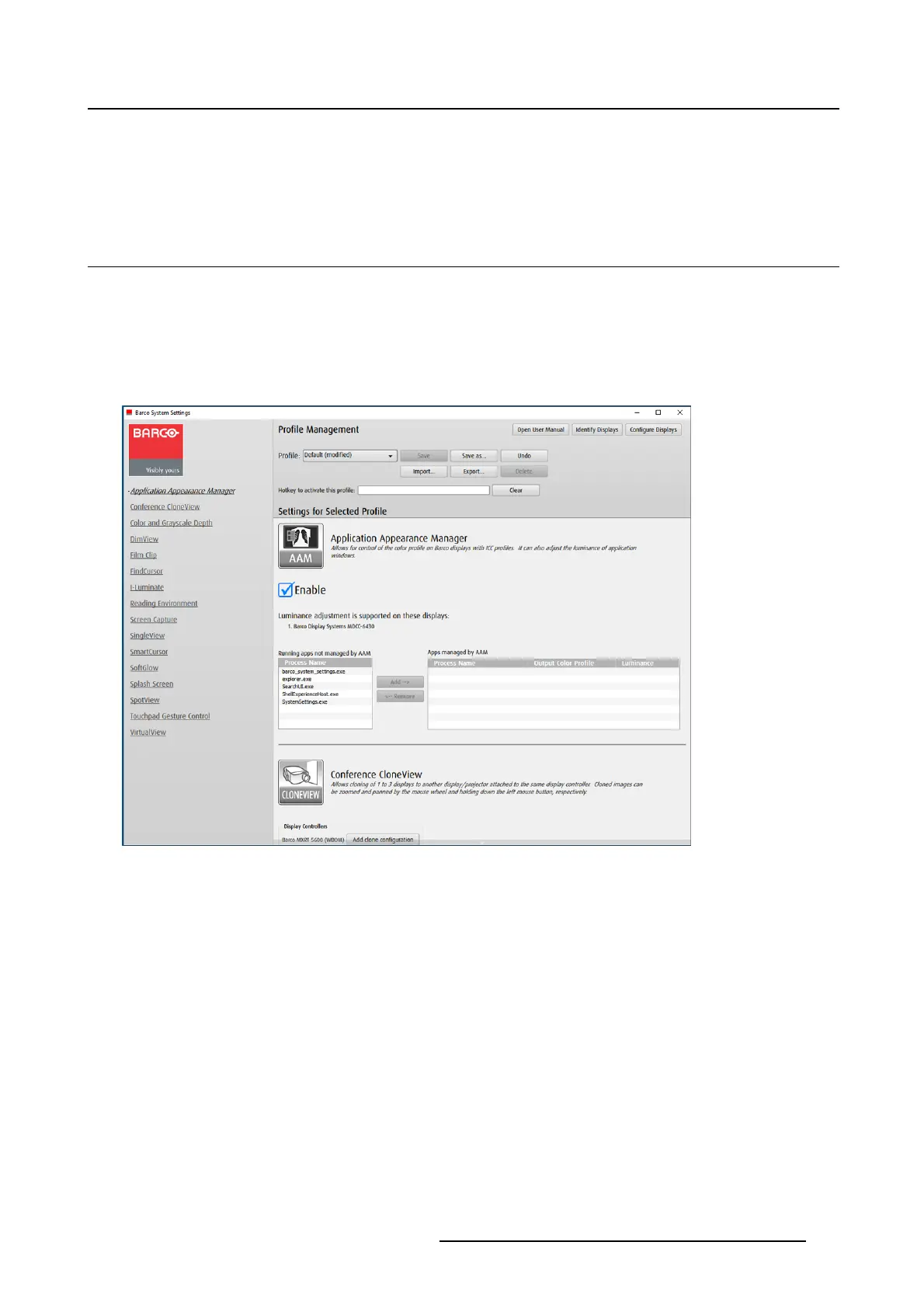
The Barco System Settings Control Panel provides a centralized configuration interface for users to per-
sonalize their Barco Display System environment.
Image 5-1
Barco System Settings Control Panel
5.1.2 O peration
Accessing the Barco System Settings Control Panel
• Right click on the desktop and select Barco System Settings,or
• Click on the Barco icon in the System Tray
• Press the hotkey Control+ALT+O
Layout of the Barco System Settings C ontrol Panel
The Barco System Settings Control Panel is comprised of three panes: the Navigation Pane on the left,
the Configuration Pane in the lower right, and the Management Pane on the upper right. Click and drag
the Configuration Pane to pan through its sections or click on the links in the Navigation Pane to advance
to the section for a particular feature.
The Management Pane contains controls for profile management and three additional buttons as follows:
K5905271 DISPLAY CONTROLLER 27/02/2017
21



 To Next Page