Manual 2100-769A
Page 45 of 50
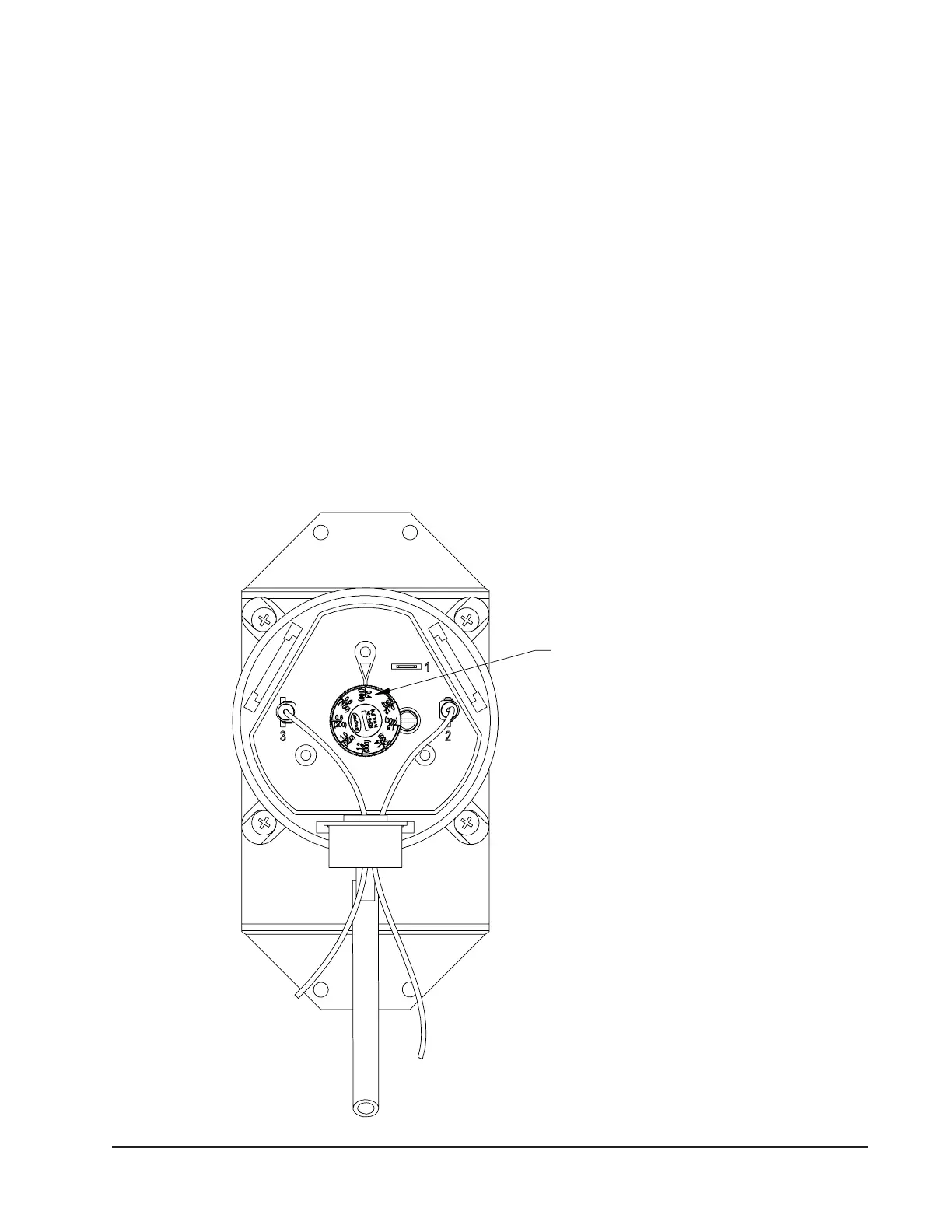
FIGURE 30
Adjusting Dirty Filter Switch
TURN CLOCKWISE TO INCREASE
RESTRICTION AMOUNT REQUIRED
TO ACTIVATE THE SWITCH AND
COUNTER-CLOCKWISE TO
DECREASE RESTRICTION AMOUNT
MIS-4086 B
Dirty Filter Switch Adjustment
1. Apply power to the unit.
2. Turn the unit indoor blower on (energize R-G on
low voltage terminal board).
3. With air lters installed and switch initially set
at 0.4" W.C. (see Step 2 under Dirty Filter
Switch), begin restricting the air lter of the unit
using a piece of cardboard under the lters until
the switch trips and the light comes on. If the
lter is restricted by 75% (or desired restriction
amount), skip to Step 6.
4. If switch setting adjustment is required,
disconnect power to the unit. Remove the upper
front panel and the cover on the airow switch so
that adjustment can be made. If the switch tripped
before 75% restriction was reached, turn the knob
slightly clockwise. If the switch tripped after 75%,
turn the knob counter-clockwise (see Figure 30).
5. Replace the upper front panel and repeat Steps
1-3. Continue to make adjustments described in
Step 4 until the desired restriction is obtained.
6. Remove the restriction and reset the lter switch.
Replace the switch cover once adjustment is
complete.
7. Install the outer control panel cover. This
completes the adjustment.


 To Next Page