14
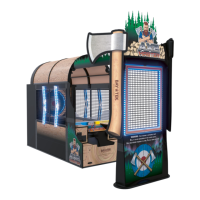
AXE MASTER SETUP
1
Install the white plastic arrow lights onto the outside of the cabinet.
Locate 2 of left side cage lights - (Labeled H)
Part # AALI29000-L
The arrow shape must point toward the front of the cabinet, with a
cable coming out of the bottom.
Bring the left side cage light close to the side of the
cabinet and plug the cable from the side cage light into
the cable protruding from the hole in the side of the
cabinet. (CE29044 to CE29060)
After connected, feed the excess cable length back down
into the hole.
Secure the arrow with 2 of the black ¼-20 X 2 Phillips
head bolts using a # 3 Phillips Head bit.
(2 per arrow, 4 per side)
Install the top bolt first, then finish clearing the cable
and ensure the cable does not get pinched as you
install the bottom bolt.
Install both left arrow lights as shown.
A5SC9301
Install the right side cage lights similarly by locate 2 of right side cage lights -
(Labeled J) Part # AALI29000-R
The arrow shape must point toward the front of the cabinet, with a cable
coming out of the bottom.
Secure both arrows with the black ¼-20 X 2 Phillips head bolts using a # 3
Phillips Head bit.
(2 per arrow, 4 per side)
Again, ensure the cable does not get pinched as you install the bottom bolt.
A5SC9301
H
J



 To Next Page